How to Compress a Gaussian Splat for the Web
Compress a Gaussian splat for web delivery while protecting visual quality, mobile load time, first view, and client handoff.

In this guide
Compression should improve load time while preserving enough visual detail for the job.
Short answer
A beautiful scene that stalls on mobile will fail as a public tour.
Compression should improve load time while preserving enough visual detail for the job. Check the compressed file in a browser viewer, then check the published tour, especially the first view, important rooms or landmarks, hotspot areas, and mobile loading behavior.
Use the Spatial Studio Splat Viewer to compare the original and compressed output before sending the scene to a client or publishing it on a public page.
Set a visual budget before compressing
| Region | Tolerance | Example |
|---|---|---|
| Opening view | Very low tolerance for visible loss. | The first property or venue impression. |
| Waypoint targets | Low tolerance around the subject. | Kitchen finishes, signage, artwork, or a view. |
| Transition areas | Moderate loss may be acceptable if movement stays stable. | Hallway between two named rooms. |
| Unvisited background | Higher tolerance when it does not affect silhouette or orientation. | Distant clutter outside the guided route. |
This makes compression a product decision. Without a visual budget, the team either keeps an unnecessarily heavy scene or accepts damage in the areas a client actually bought.
Practical checklist
- Measure file size before and after compression.
- Check first load on a normal phone connection.
- Look for visible damage in key rooms or features.
- Open the compressed file in the viewer before publishing.
- Keep hotspots away from noisy edges.
- Use a lighter tour path if the scene stays heavy.
Compression checks that matter
Compression is a tradeoff. Smaller files should load faster, but aggressive settings can damage edges, reflective surfaces, thin details, signage, furniture, trees, and distant features.
Check the same camera positions before and after compression. If a defect is visible in the first view, a hotspot area, or the part of the scene people use to understand the space, the file is too compressed for that deliverable.
How to test compressed files
| Output | How to test it | What to compare |
|---|---|---|
.compressed.ply | Open it in the Splat Viewer. | First view, edges, text, and important room details. |
.sog file | Open the SOG file locally or as a hosted URL. | Load time, mobile motion, and visible artifacts. |
.spz file | Open the SPZ file locally or as a hosted URL. | Quality after compact delivery. |
| Hosted LOD output | Paste the hosted lod-meta.json URL. | Whether chunk files load without missing-file errors. |
Where Spatial Studio fits
Spatial Studio gives you two checks: open the file in the Splat Viewer for a raw browser test, then publish the finished scene as a guided tour when it needs a shareable link, embed, hotspots, CTAs, and analytics.
Local Mac and cloud generation can produce source assets, while compact exports and hosted LOD can support different delivery targets. Keep the richest reusable file even when the public tour uses a lighter copy.
Compression mistakes
- Comparing different camera angles and missing subtle degradation.
- Reporting percentage reduction without recording bytes or mobile load behavior.
- Compressing an already damaged conversion instead of the clean source.
- Inspecting only the center while thin edges, text, foliage, and reflections fail.
- Replacing the archive with the delivery copy.
What the finished tour should prove
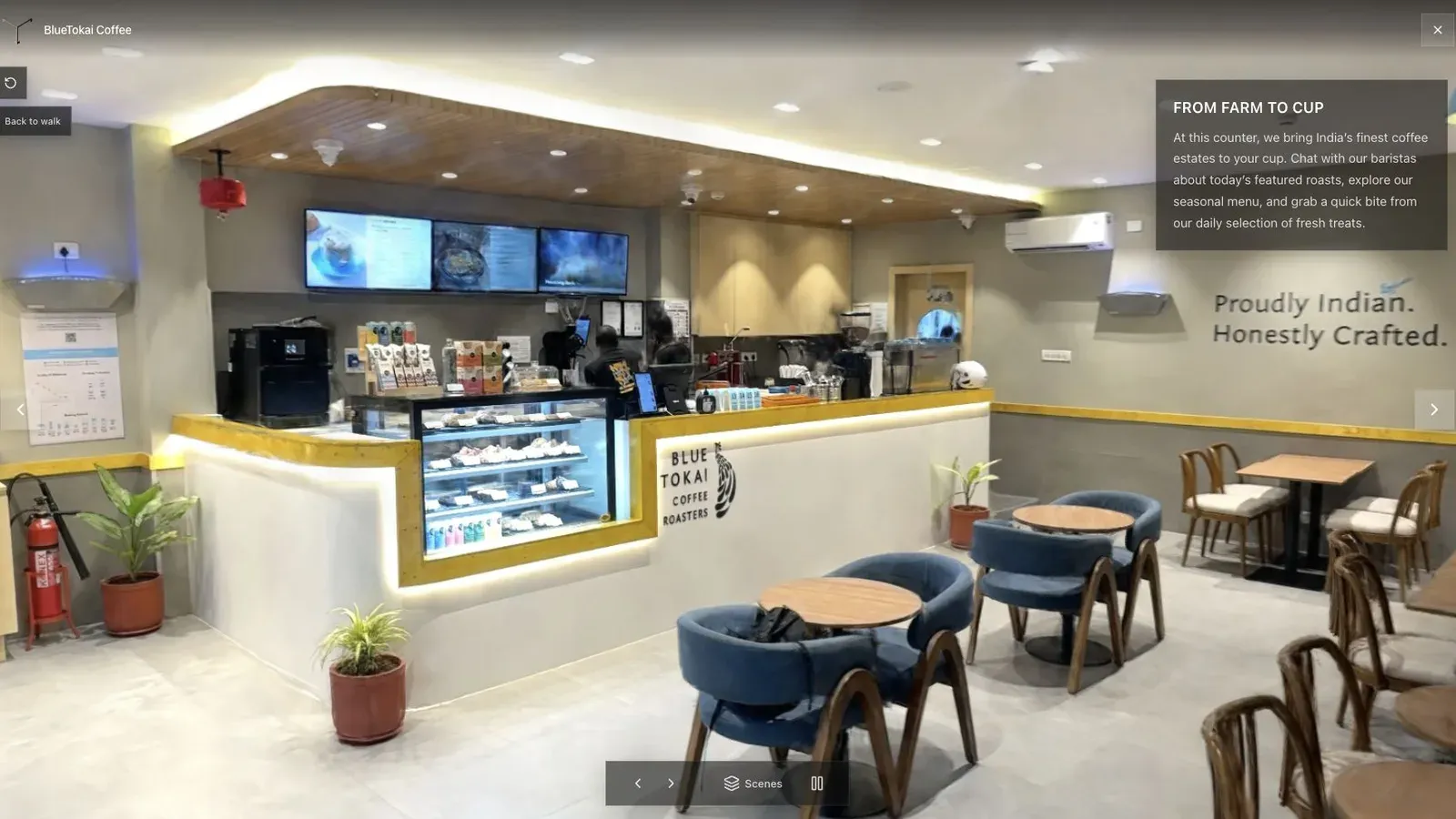
A published cafe tour gives visitors a clear first view before they move through the space.
Save matched screenshots from the opening and every paid-for feature. In the cafe, check chair legs, menu text, glossy counter edges, plants, and the transition around the doorway. Then run a cold mobile load and record time to the first controllable frame.
Accept the smallest result that passes the visual budget and interaction test. There is no value in winning another few megabytes if the first view begins to shimmer or dissolve.
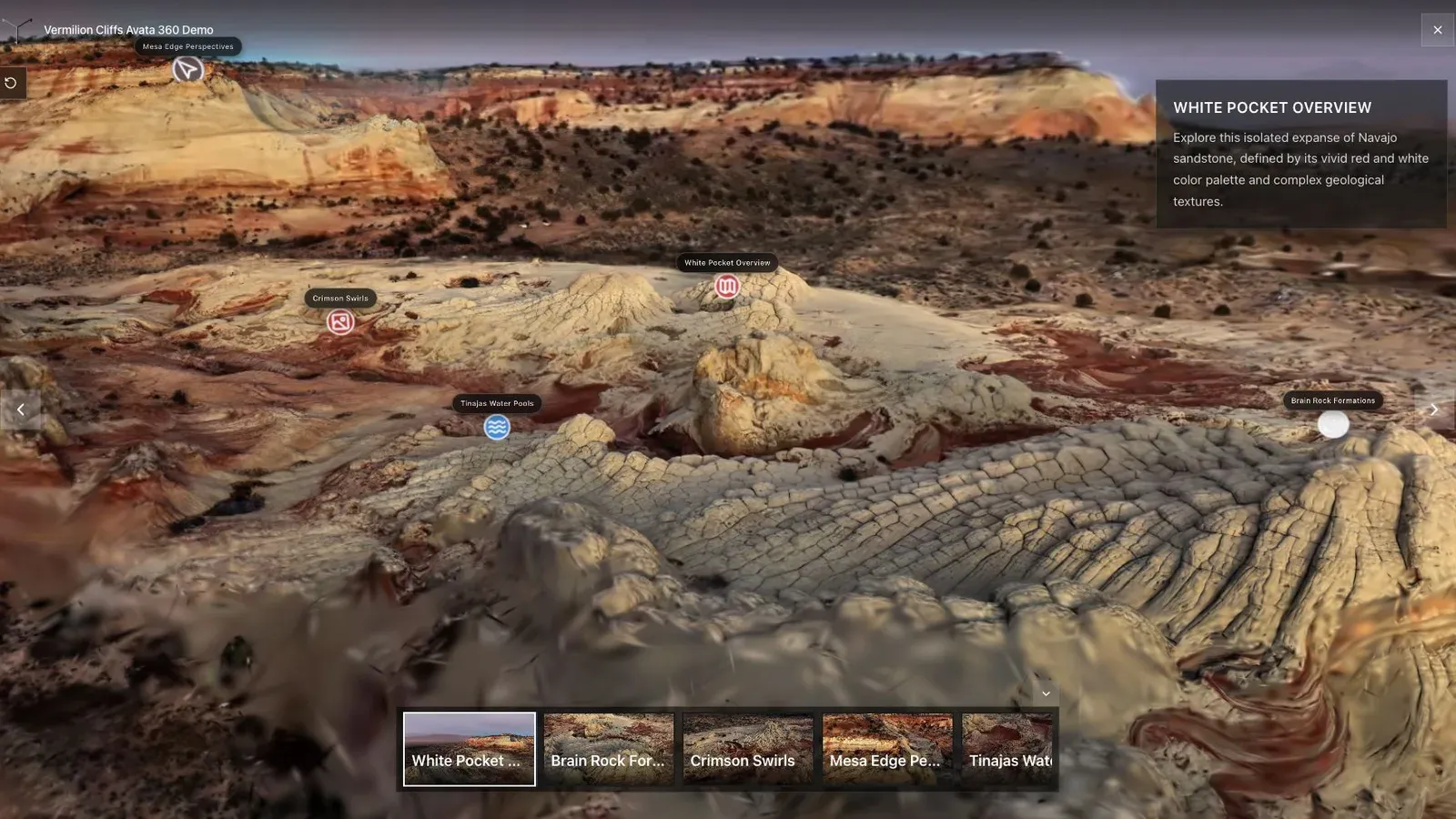
A landscape splat works best when the opening view explains scale, terrain, and the path through the scene.
Outdoor scenes can fail differently. Foliage, fences, power lines, and distant terrain expose loss that an interior test misses. Maintain at least one indoor and one landscape asset in the compression test set.
Document the encoder, version, settings, format, source hash, output bytes, visual verdict, and mobile result. That turns a one-off optimization into a repeatable publishing preset.
Frequently asked questions
What compression ratio should I use?
There is no universal ratio. Increase compression until the file meets its delivery target or the important views fail, then step back.
Should I compress before editing?
Usually keep and edit the higher-quality source, then make a delivery copy. Some toolchains differ, so verify round-trip behavior.
Is streaming LOD always better?
It can improve large-scene delivery, but it adds hosting and chunk-path requirements. Test first view, network requests, missing chunks, and movement on the actual deployment.
Use a simple acceptance test before choosing the stack. Open the compressed file in the Splat Viewer, then open the published tour in a normal browser. Move through the first three important views and check whether the file, hosting, and viewer choices stay invisible to the visitor.
Related reading
- Gaussian Splat Viewer
- Gaussian Splatting Software
- Video to Gaussian Splat
- Splat Virtual Tour Software
Next step
Compress one real scene, open the result in the Spatial Studio Splat Viewer, then publish only after the important views still hold up.
Next step
Generate a splat tour
Use the guide with your own project, or inspect a published example before starting.
Continue reading
Related articles
Capture Workflows
How to Make a Gaussian Splat on Mac from Photos or Video
Create a 3D Gaussian splat locally on an Apple silicon Mac from photos or video. Follow the capture, processing, review, export, and publishing workflow.
Read articleTool Comparisons
Best Gaussian Splatting Apps for Mac in 2026
Compare Gaussian splatting apps for Mac, including Spatial Studio, RadianceKit, SplatScene, 3D Splat App, and OpenSplat by workflow and export needs.
Read article