Gaussian Splat Tour: From Scene to Walkthrough
Turn a Gaussian splat into a usable tour with visitor flow, room labels, hotspots, embeds, mobile checks, and next actions.

In this guide
The tour should guide visitors through the space instead of leaving them inside an empty viewer.
Short answer
People understand places faster when the tour names where they are and what matters.
The tour should guide visitors through the space instead of leaving them inside an empty viewer. A useful test is simple: can someone open the tour, understand the place, and know what to do next without a separate explanation?
Spatial Studio connects capture and reconstruction to the tour itself. Spatial Lens, the Mac app, the cloud generator, 360 and drone inputs, PortalCam, and existing splats all lead into one browser authoring and publishing system.
Build the tour in four passes
| Pass | Decision | Stop when |
|---|---|---|
| Orientation | Choose the first view and the main route. | A new visitor can identify the place and first destination. |
| Guidance | Add waypoints, portals, or room names. | Every stop changes what the visitor understands. |
| Context | Add hotspots, floor plans, maps, or supporting media. | The common buyer questions are answered without clutter. |
| Outcome | Add the relevant CTA and analytics. | The next action is obvious and measurable. |
Begin with a blank interface and one person who has never seen the scene. Ask them to find the most important area. Their first hesitation tells you whether the problem is the opening angle, route, or wording.
Make the first thirty seconds useful
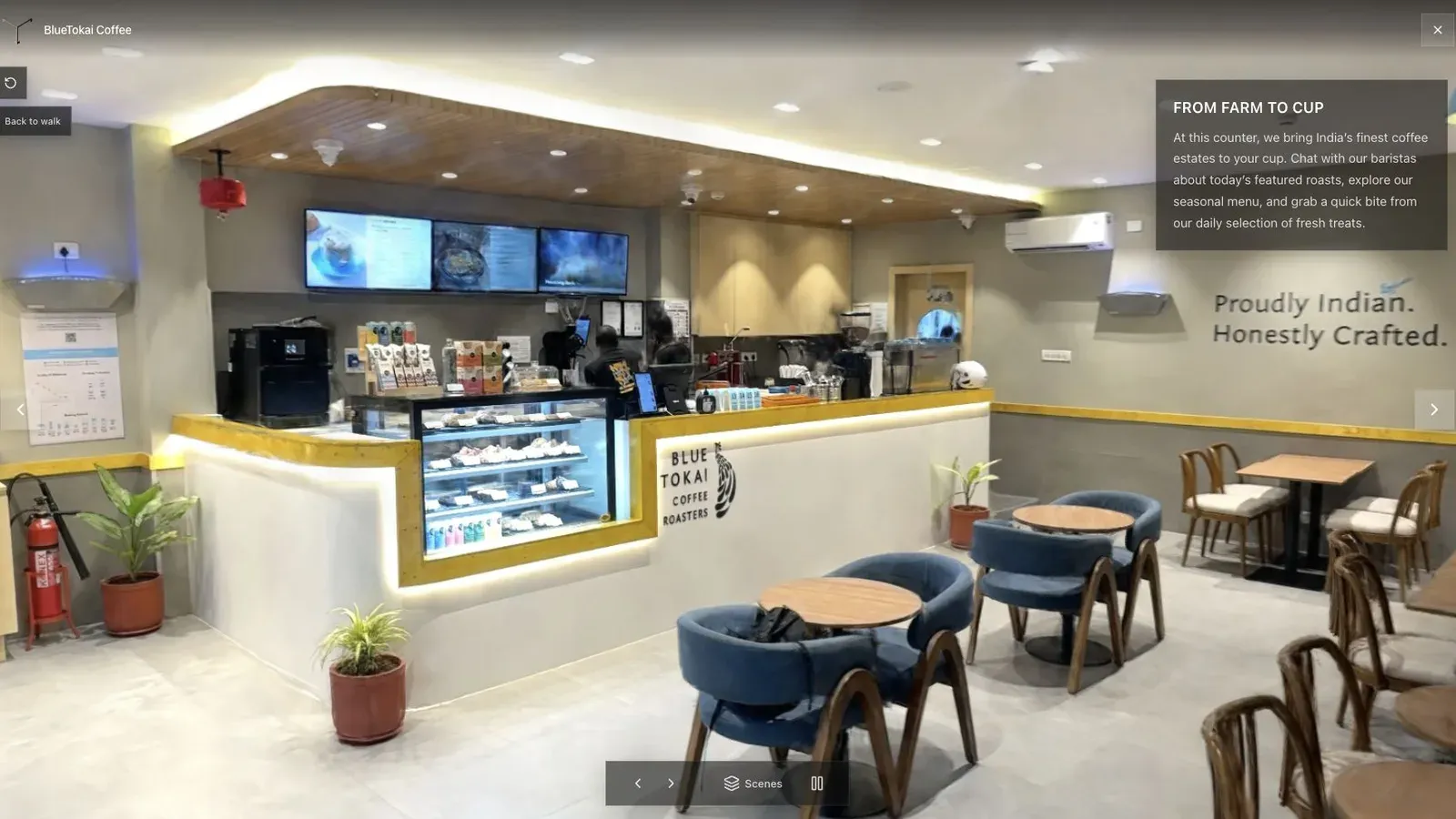
This cafe opens where the counter and circulation path are visible, so the visitor understands the room before moving.
Do not begin at the operator's first capture frame or at the most dramatic camera angle by default. Begin where the space is legible. Keep the first waypoint visible without covering the subject, and avoid opening with an instruction modal unless the controls truly need explanation.
On mobile, move through the first two stops using one hand. Check whether the label text remains readable, whether the CTA competes with navigation, and whether the scene loads before a casual visitor gives up.
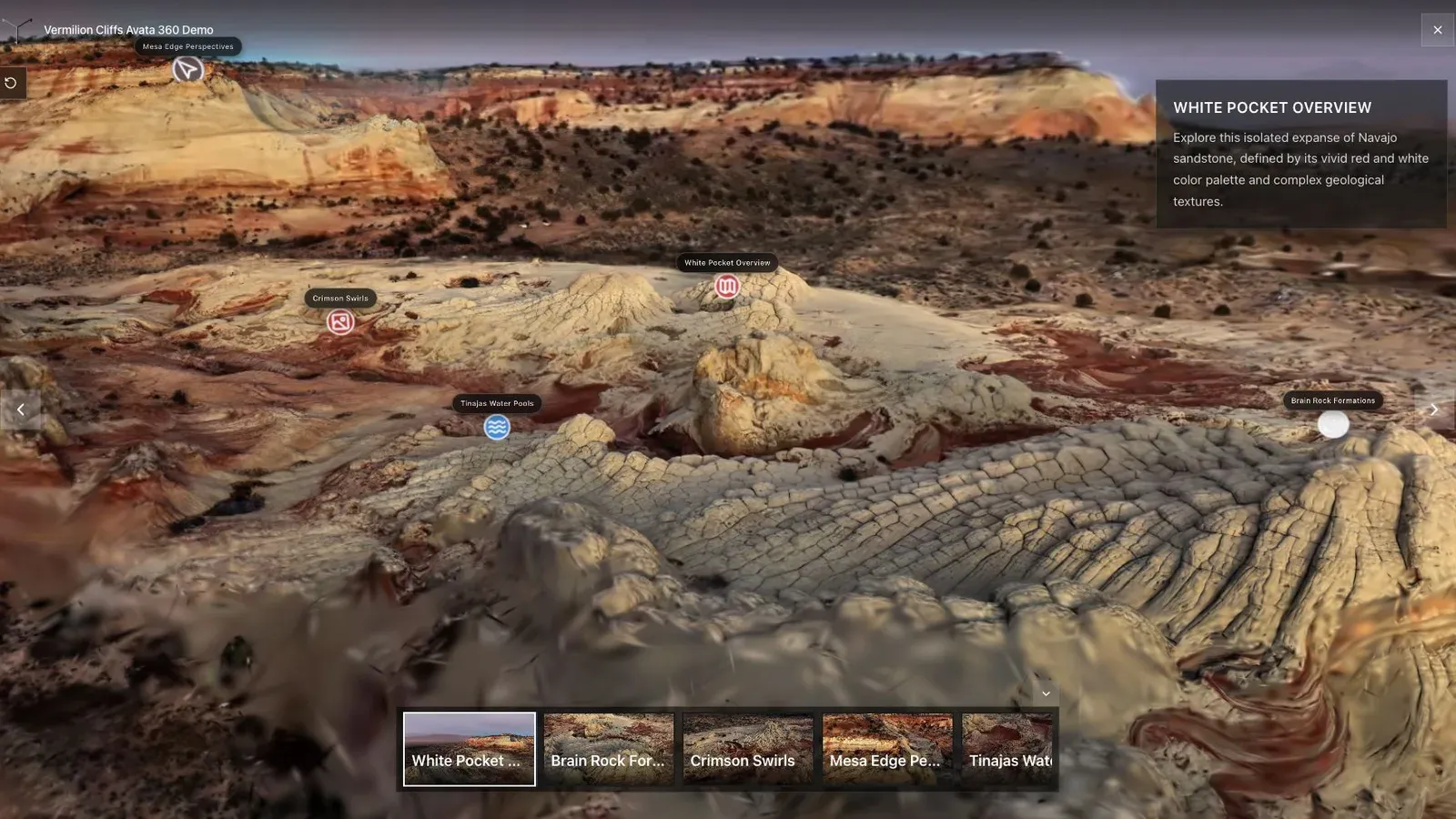
A landscape tour needs landmarks and route names because distance is harder to read than inside a room.
Use the vocabulary of the place. “Kitchen” beats “Point 3.” “West Trailhead” beats “Camera B.” A hotspot should answer a question, show unavailable context, or reveal an action. Remove it if the visitor learns nothing after clicking.
Launch checklist
- Open the public link in a private browser window.
- Test the first transition and the final CTA on desktop and phone.
- Confirm the embed, title, preview image, branding, and destination URLs.
- Share the exact review link the client will approve.
- Decide when analytics will be reviewed and what result would trigger a change.
Frequently asked questions
Hand the published link to someone who has not seen the capture. Ask them to identify the place, visit three important areas, and find the intended next action. Observe without explaining. Confusion in that short test usually points to the opening view, route labels, or interface density rather than reconstruction quality.
What is the difference between a splat and a splat tour?
A splat is the reconstructed spatial scene. A splat tour adds a deliberate start, navigation, context, publishing, and a useful visitor action.
How many waypoints should I add?
Use the fewest that explain the space. A compact property may need five or six. A large site can need more, grouped around a clear route.
Can Spatial Studio publish a splat made elsewhere?
Yes for supported file formats. Inspect orientation, scale, appearance, and mobile weight before authoring the tour.
Do I need analytics?
Not for a personal project. For paid marketing work, even basic views and CTA activity help the creator and client discuss performance with evidence.
Related reading
Next step
Generate a splat tour
Use the guide with your own project, or inspect a published example before starting.
Continue reading
Related articles
Tour Publishing
How to Embed a Gaussian Splat Viewer on Your Website
Embed a Gaussian splat viewer or 3D tour with responsive iframe code, mobile checks, CMS notes, performance guidance, and publishing tips.
Read articleTour Publishing
360 Tour vs Gaussian Splat Tour
Compare 360 tours and Gaussian splat tours by capture speed, viewer experience, mobile performance, embeds, and sales use.
Read article