Common Gaussian Splatting Capture Mistakes
Avoid common Gaussian splatting capture mistakes around motion, lighting, reflections, missing transitions, and confusing first views.

In this guide
Most weak splats start before processing, with bad movement, poor lighting, reflective clutter, or missing transitions.
Short answer
Capture discipline is the cheapest quality improvement because it prevents problems that cleanup cannot always repair.
Most weak splats start before processing, with bad movement, poor lighting, reflective clutter, or missing transitions. A useful test is simple: can someone open the tour, understand the place, and know what to do next without a separate explanation?
Spatial Studio can process supported phone, photo, 360, drone, PortalCam, mixed-media, and existing-splat projects. Spatial Lens and the Mac app add guided iPhone and local Apple silicon routes, but no processing choice can invent coverage the operator never captured.
| Symptom | Likely capture cause | First response |
|---|---|---|
| Hole at a doorway | Weak transition coverage | Recapture before and through the threshold |
| Smearing near windows | Motion blur or exposure shift | Slow down and lock the capture conditions |
| Duplicate people or objects | Movement during the route | Clear the scene and repeat that section |
| Floating exterior detail | Sparse angles or difficult foliage | Add deliberate viewpoints or reduce the scope |
| Good scene, confusing tour | Poor opening view or route | Fix authoring instead of recapturing |
Seven mistakes that actually break projects
1. Walking at presentation speed
A social-media walkthrough is too fast. Slow down further at doors, corners, stairs, and close passes. Motion blur and weak overlap often arrive together in exactly these spots.
2. Treating a doorway as empty space
Capture before, during, and after the transition. Keep features from both rooms visible long enough to connect them. A hard cut in visual evidence can split an otherwise good interior.
3. Letting exposure choose the route
Bright windows and dark rooms cause abrupt changes. Set the room lighting, choose the capture time, and approach exterior doors slowly. If the brightness range is extreme, separate the zones.
4. Recording a moving room
Turn off fans and television content. Ask people to leave the route. Watch mirrors for the operator and others. A moving subject appears in many frames without behaving like stable geometry.
5. Believing more footage fixes poor footage
Repeated blurry loops add processing burden without adding useful viewpoints. Each extra pass should reveal an occluded surface, improve a transition, or cover a feature that matters.
6. Leaving the site before a quick review
Scrub the source and check the hardest doorway, the darkest corner, and the most reflective area. When possible, run an early reconstruction or capture health check before the space changes.
7. Confusing capture defects with tour-design defects
Missing geometry requires a better capture or repair. A confusing opening angle requires authoring. Diagnose the layer before spending an hour adding labels to a broken scene.
Review the finished result
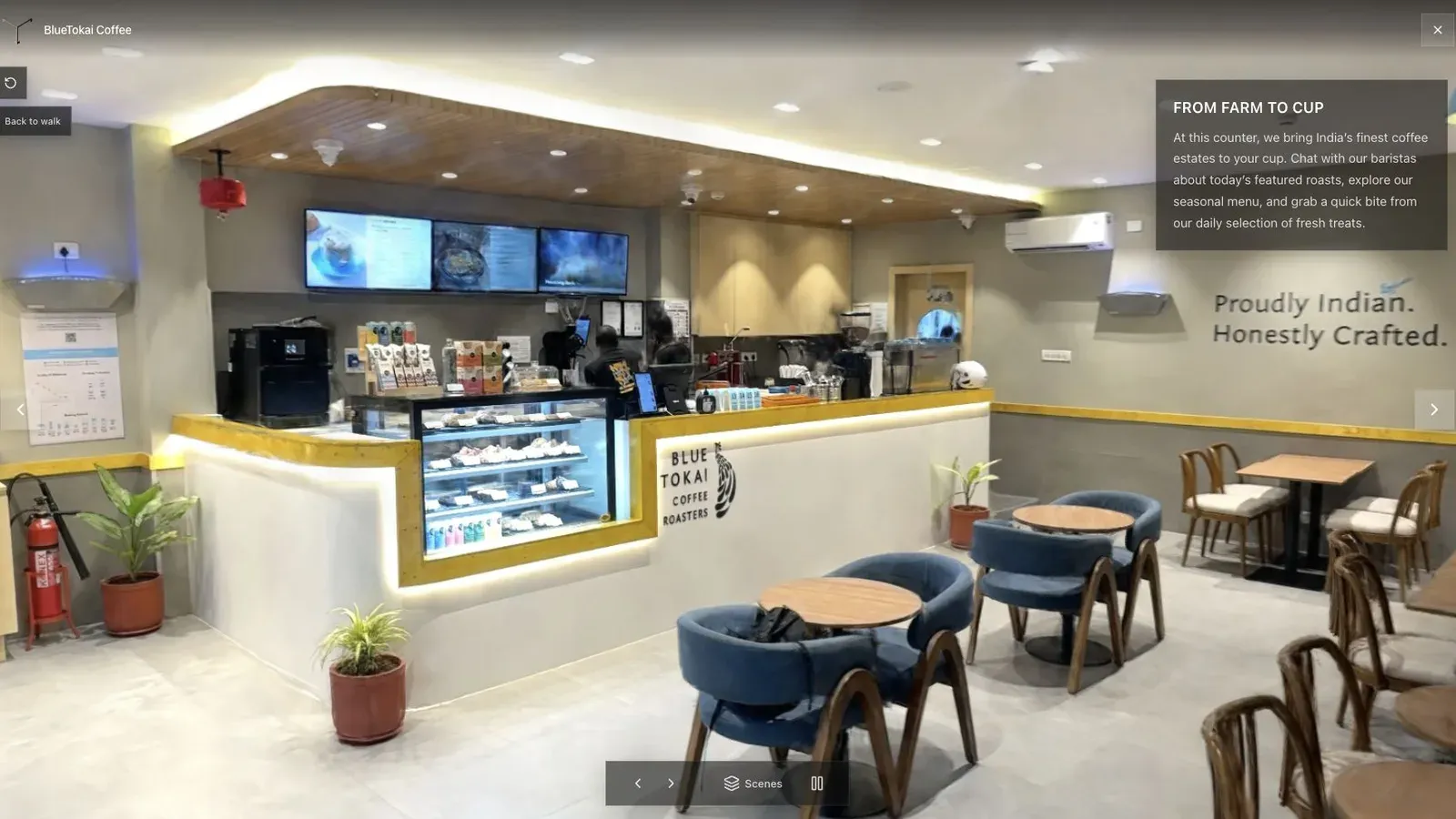
A cafe packs glass, thin furniture, mixed light, and narrow routes into one useful stress test.
Open the generated scene at the location of each known capture risk. Record whether the problem appears as blur, floating detail, a hole, unstable geometry, or a broken camera path. This creates feedback the operator can use on the next job instead of a vague note that the result “looked bad.”
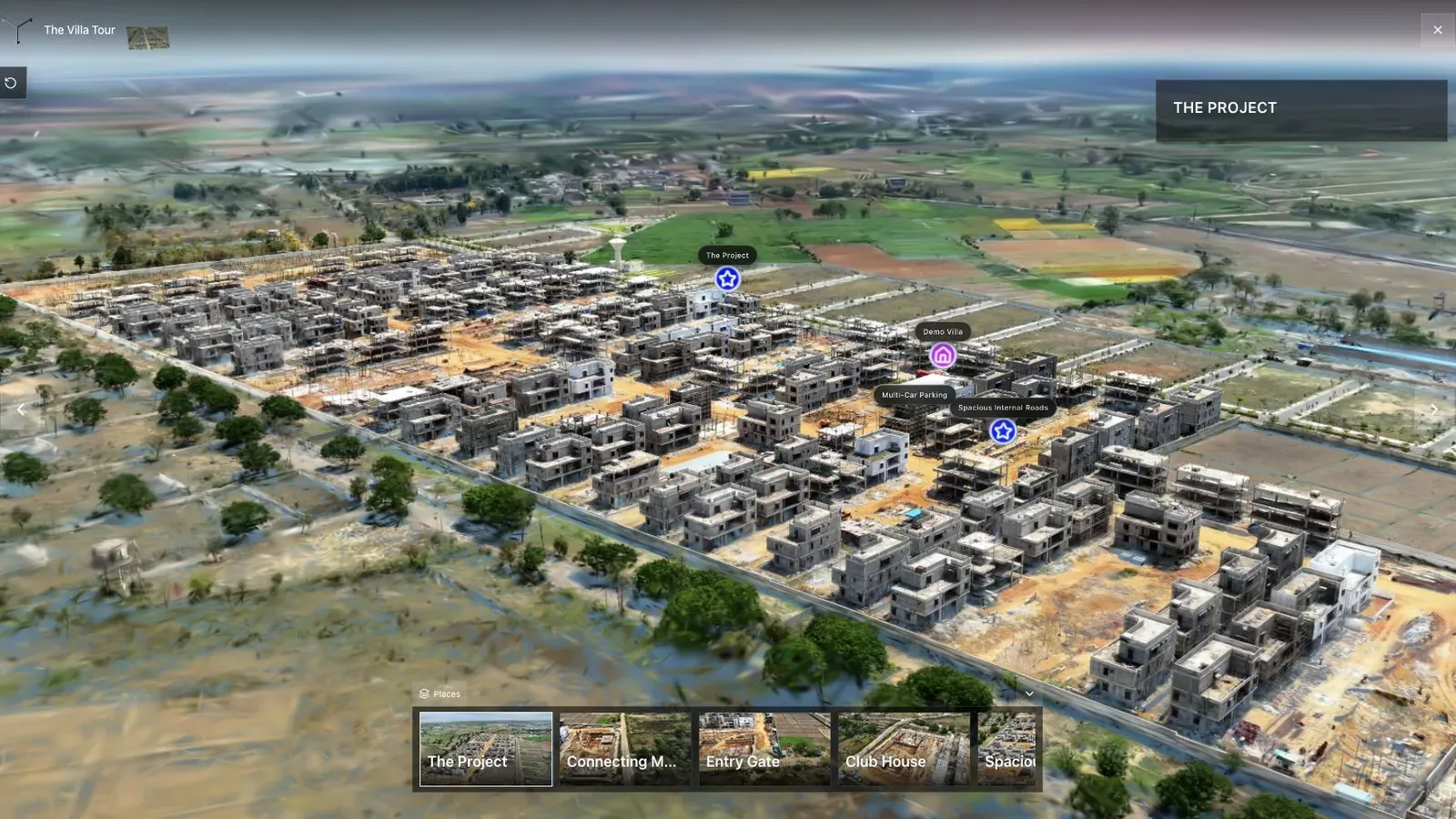
On a large site, route planning and stable landmarks matter more than a dramatic aerial orbit.
Once the scene is sound, use Spatial Studio to set the published start, name the important stops, and add one action appropriate to the project. Check mobile loading and the first transition. Those are delivery checks, not substitutes for disciplined capture.
Frequently asked questions
What is the hardest capture mistake to repair?
Missing or badly blurred coverage around a critical transition is often expensive to repair because the source never established how the two areas connect.
Does a better camera prevent these problems?
It may improve resolution, stabilization, or low-light performance, but it does not prevent rushed motion, poor overlap, changing scenes, or a badly planned route.
Should I recapture or edit?
Recapture when geometry or coverage is missing. Edit when the scene is sound but contains removable noise. Change the tour when the problem is orientation or visitor guidance.
Related reading
Next step
Generate a splat tour
Use the guide with your own project, or inspect a published example before starting.
Continue reading
Related articles
Capture Workflows
How to Make a Gaussian Splat on Mac from Photos or Video
Create a 3D Gaussian splat locally on an Apple silicon Mac from photos or video. Follow the capture, processing, review, export, and publishing workflow.
Read articleCapture Workflows
Photogrammetry vs Gaussian Splatting on Mac
Compare photogrammetry and Gaussian splatting on Mac by output, geometry, visual quality, capture, editing, measurement, hardware, and delivery workflow.
Read article