Gaussian Splatting from Photos vs Video
Compare photos and video for Gaussian splatting, including capture control, speed, coverage, processing tradeoffs, and final tour use.

In this guide
Photos offer control and detail; video offers speed and route continuity. The right answer depends on the scene and deliverable.
Short answer
The capture source should match the client-facing job, not the other way around.
Photos offer control and detail; video offers speed and route continuity. The right answer depends on the scene and deliverable. A useful test is simple: can someone open the tour, understand the place, and know what to do next without a separate explanation?
Spatial Studio accepts supported photo sets and video in both local Mac and cloud workflows. Spatial Lens adds guided iPhone capture, while 360, drone, PortalCam, mixed media, and existing splats can enter the same tour-publishing ecosystem.
Photos and video create different kinds of control
| Question | Photos | Video |
|---|---|---|
| Can the operator choose each exposure and viewpoint? | Strong control, with more deliberate capture work. | Less per-frame control, but the route is recorded continuously. |
| Are room transitions easy to cover? | Easy to under-shoot unless the sequence is planned. | Natural when the operator slows down through doors. |
| Is motion blur a major risk? | Lower when shutter and support are controlled. | Higher during turns, stairs, and fast walking. |
| How much redundant media is created? | The operator decides every frame. | Frame extraction may include weak or repetitive moments. |
| Who benefits most? | Detail-led, controlled, or repeatable shoots. | Fast field tests and connected spatial walkthroughs. |
Use photos when the scene can be staged and each view matters. Use video when the path through the space matters and the operator needs a faster capture. Use both only when each source has a defined job, such as video for room continuity and photographs for a difficult feature area.
Process photos or video locally on Mac
Spatial Studio for Mac accepts photo sets, image folders, and video. It can prepare video frames, reconstruct camera positions, train the splat locally on Apple silicon, and export several common splat formats. Nothing uploads automatically.
Use the Gaussian splatting on Mac guide for the step-by-step workflow. If you are comparing products first, read Best Gaussian Splatting Apps for Mac.
A controlled comparison
Capture one room twice. For the photo set, walk a grid with overlapping wide views and extra angles around occlusions. For video, trace a slow perimeter and cross the center while keeping the camera steady. Do not change furniture or light between takes.
Compare camera recovery, missing surfaces, thin edges, reflective areas, processing time, and the final mobile scene. The result will tell you more than a general claim about one format being “higher quality.”
From reconstruction to a useful tour
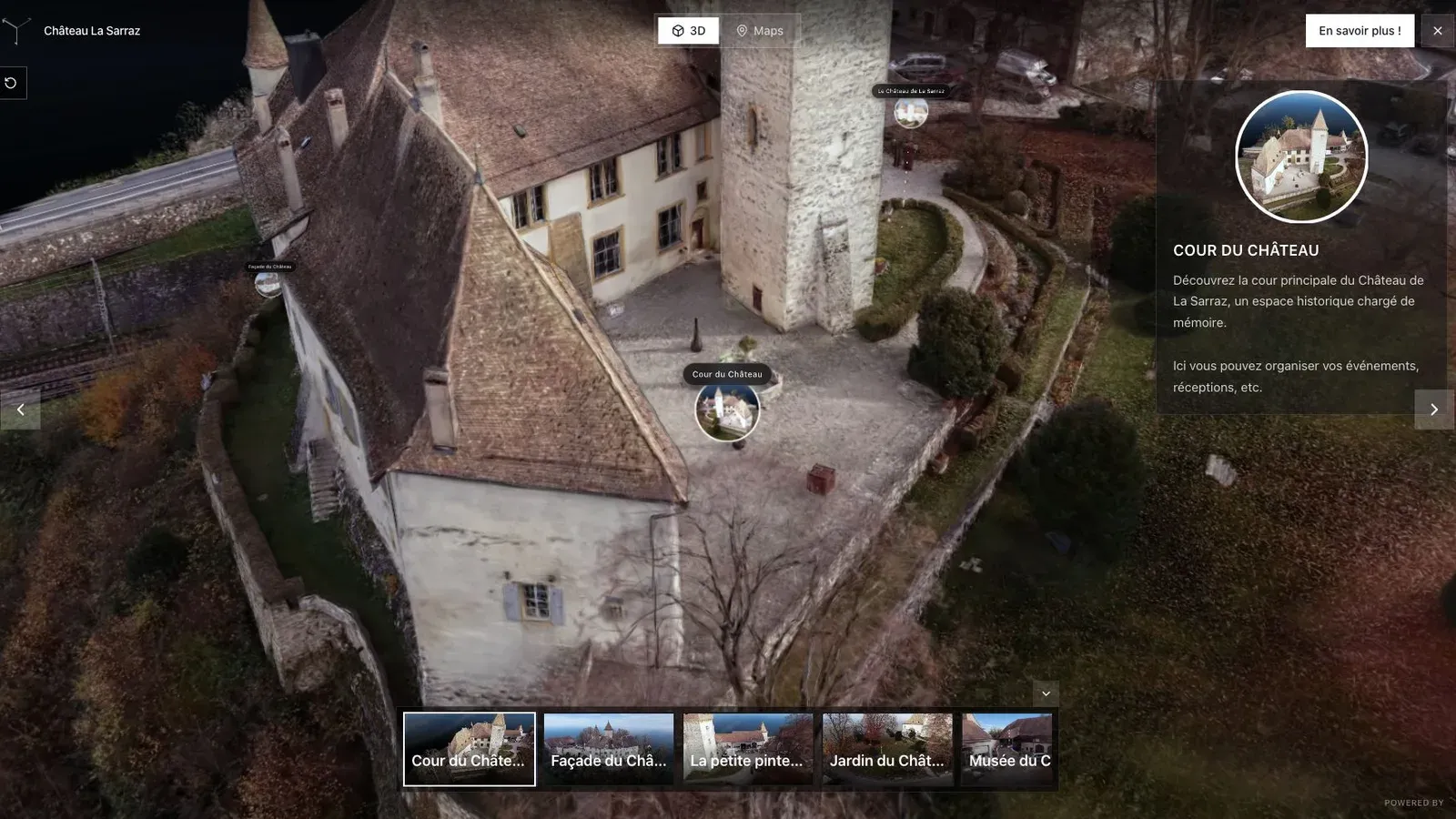
A heritage project may favor photographs for fragile detail and video for the route between spaces.
The source format disappears from the visitor's mind once the tour opens. Use Spatial Studio to set an intelligible first view, guide people to the meaningful areas, add archive or property media where it helps, and publish one link. If photographs produced a sharper object but video created a more coherent route, the final project can reflect that division instead of declaring one universal winner.
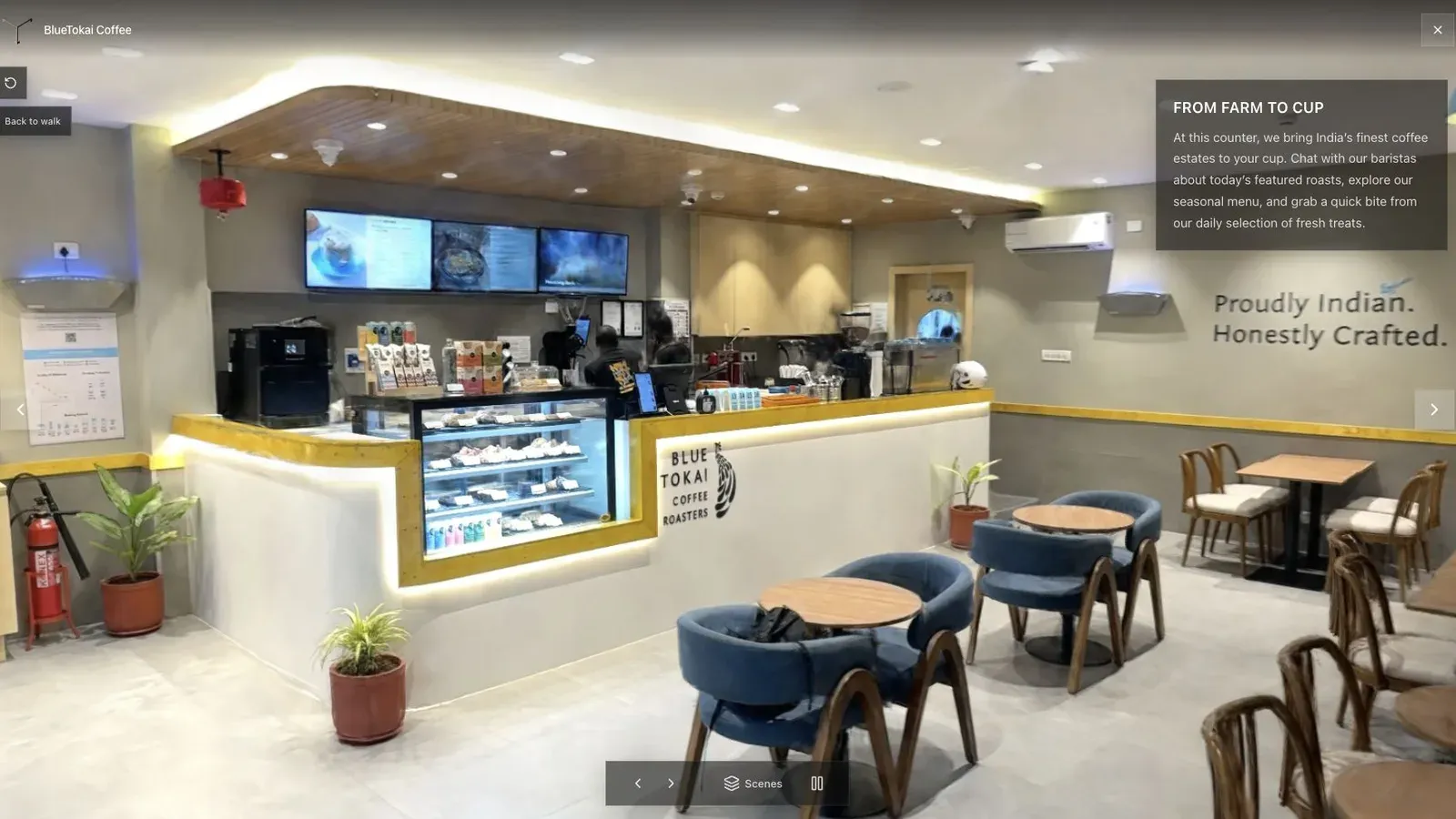
For a compact cafe, a smooth phone route may save time while still producing enough detail for a visitor-facing walkthrough.
Review the published version on mobile. Photographic sharpness does not help if the scene is too heavy, and video continuity does not help if important finishes dissolve at close range. Choose the source whose weaknesses are acceptable for the client brief.
Frequently asked questions
Are photos always higher quality than video?
No. Photos can provide more control and detail, but poor overlap or a badly planned sequence can still fail. Stable high-quality video can outperform a weak photo set.
Can I use photos and video in one project?
Yes in supported mixed workflows, but define what each source contributes and test the combined result. More media does not automatically mean a better reconstruction.
Which is better for local Mac processing?
Spatial Studio for Mac accepts both photo and video projects. Use the same small scene to compare processing time, camera recovery, memory pressure, and output quality on your Mac.
Related reading
Next step
Generate a splat tour
Use the guide with your own project, or inspect a published example before starting.
Continue reading
Related articles
Capture Workflows
How to Make a Gaussian Splat on Mac from Photos or Video
Create a 3D Gaussian splat locally on an Apple silicon Mac from photos or video. Follow the capture, processing, review, export, and publishing workflow.
Read articleCapture Workflows
Photogrammetry vs Gaussian Splatting on Mac
Compare photogrammetry and Gaussian splatting on Mac by output, geometry, visual quality, capture, editing, measurement, hardware, and delivery workflow.
Read article