Gaussian Splatting Mobile Performance Guide
Improve Gaussian splatting mobile performance with scene-weight checks, first-view planning, controls, load states, and fallback expectations.

In this guide
Mobile performance depends on scene weight, first view, controls, loading states, and clear fallback expectations.
Short answer
Most real estate and travel visitors open links on phones, so mobile QA is not optional.
Mobile performance depends on scene weight, first view, controls, loading states, and clear fallback expectations. Test the published tour on an ordinary phone before sending it to a client or linking it from a campaign.
Spatial Studio connects capture, local Mac or cloud reconstruction, scene optimization, guided authoring, and analytics. That makes mobile performance a property of the complete published experience, not only the splat file.
Measure the visitor path
| Moment | Record | Failure signal |
|---|---|---|
| Page open | Time until a recognizable preview or loading state. | Blank screen or unexplained wait. |
| First useful frame | Time until the scene is readable. | Page shell loads but the tour remains unusable. |
| First movement | Input response and frame stability. | Touch feels ignored, jerky, or traps page scrolling. |
| First waypoint | Transition time and orientation. | Visitor lands facing the wrong direction or loses context. |
| CTA | Visibility, tap target, and destination. | Control overlap or broken return from the action. |
Practical checklist
- Test on an average phone as well as a laptop.
- Watch first interaction time and visible loading states.
- Use fewer guided stops when the scene is heavy.
- Avoid placing CTAs over the tour controls.
- Track exits before the first waypoint.
Where this fits in a Real Horizons workflow
Use the capture source that fits the job. Real Horizons can generate the splat from that source, help you review and optimize the scene, and turn it into a tour the audience can open without extra explanation.
Common mobile mistakes
- Testing only on the newest iPhone over office Wi-Fi.
- Measuring page load but not time to a controllable scene.
- Adding a heavy hero, chat widget, and video around an already demanding embed.
- Letting viewer gestures fight the browser's scroll and back behaviors.
- Placing labels or CTAs under notches, browser chrome, or tour controls.
- Treating fewer waypoints as a performance optimization when scene bytes are the real bottleneck.
What the finished tour should prove
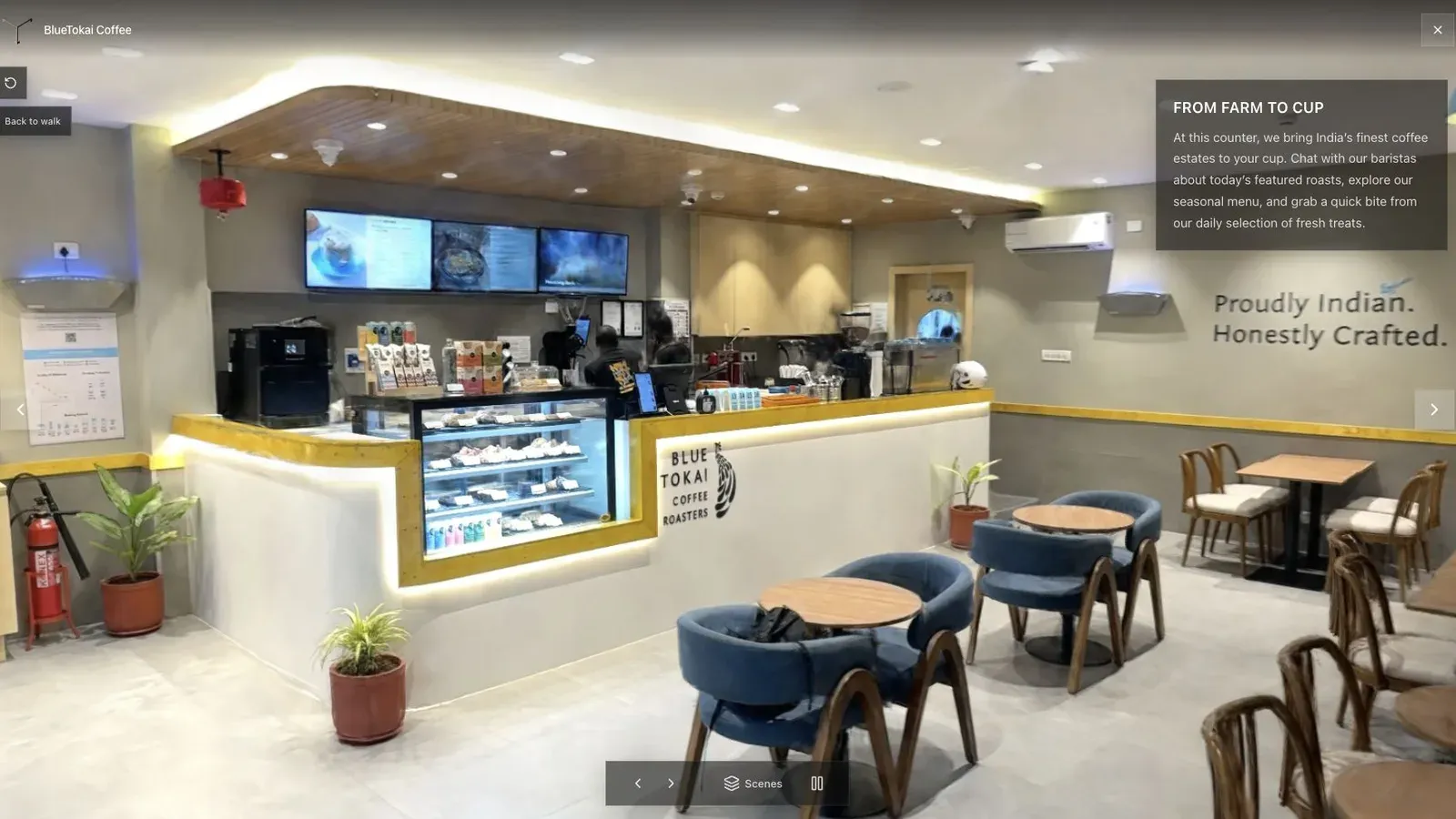
A published cafe tour gives visitors a clear first view before they move through the space.
Use a mid-range device, cellular connection, cold browser session, and the actual landing page. Record the screen from page open through the first waypoint. The video reveals blank states, delayed controls, layout jumps, and hesitation that a single metric misses.
For the cafe, begin where the counter is recognizable. A fast abstract first frame is less useful than a slightly later but meaningful view. Performance exists to preserve comprehension.
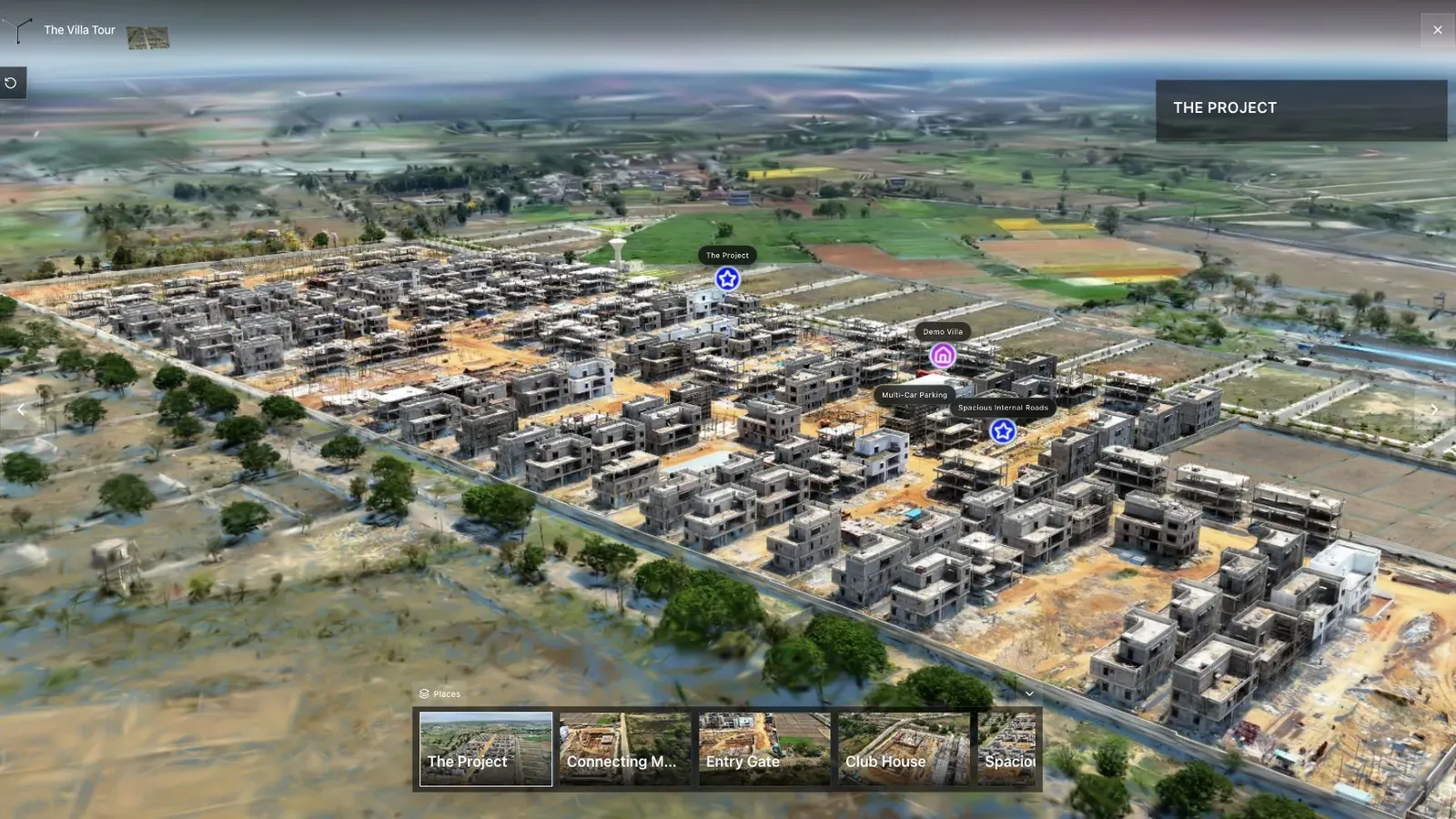
Waypoints turn a large scene into a guided path instead of leaving visitors to guess where to go next.
Waypoints can help by giving visitors predictable destinations, but each transition must be tested. A stable guided jump may feel better than free movement through a difficult area. It does not compensate for an oversized initial scene.
If performance is weak, test a smaller or better-optimized asset, a compact delivery format, streaming LOD where supported, a click-to-load preview, and a simpler surrounding page. Change one variable at a time and repeat the cold mobile run.
Frequently asked questions
What phone should I test?
Use a device representative of the slow half of the intended audience, not the production team's newest hardware.
Is file size the only performance issue?
No. Decode and rendering work, memory, shaders, viewer code, the surrounding page, network latency, and interaction design all matter.
Should I autoplay the tour?
Only when the loading behavior and page context support it. A preview with an explicit open action can provide a clearer and lighter first experience.
Use a simple acceptance test before choosing the stack. Open the published tour in a normal browser, move through the first three important views, and check whether the file, hosting, and viewer choices stay invisible to the visitor. If the tool decision creates extra explanation for the client, simplify the workflow before you scale it.
Related reading
Next step
Generate a splat tour
Use the guide with your own project, or inspect a published example before starting.
Continue reading
Related articles
Capture Workflows
How to Make a Gaussian Splat on Mac from Photos or Video
Create a 3D Gaussian splat locally on an Apple silicon Mac from photos or video. Follow the capture, processing, review, export, and publishing workflow.
Read articleTool Comparisons
Best Gaussian Splatting Apps for Mac in 2026
Compare Gaussian splatting apps for Mac, including Spatial Studio, RadianceKit, SplatScene, 3D Splat App, and OpenSplat by workflow and export needs.
Read article