Hotspots for Gaussian Splat Tours
Add hotspots to Gaussian splat tours for finishes, amenities, access notes, booking context, and other details visitors need.

In this guide
Hotspots should explain features, choices, and next steps. Too many labels make the tour harder to use.
Short answer
Visitors need context at the moment they are looking at the detail.
Hotspots should explain features, choices, and next steps. Too many labels make the tour harder to use. A useful test is simple: can someone open the tour, understand the place, and know what to do next without a separate explanation?
Use a hotspot when a visible object or location needs one concise layer of meaning: a specification, restoration note, room capacity, plot status, or supporting link. Spatial Studio keeps that authoring step beside cloud generation, Mac local generation, Spatial Lens capture on iPhone Pro, compatible PortalCam workflows, publishing, and analytics.
How to judge the workflow
| Element | Best use | Warning sign |
|---|---|---|
| Hotspot | Detail anchored to one object or place | It tries to contain the whole tour story |
| Label | A short name that remains visible | It needs a paragraph to make sense |
| Waypoint | A deliberate camera destination | The new view adds no information |
Practical checklist
- Label rooms and features in visitor language.
- Use short copy that fits mobile.
- Connect hotspots to booking, inquiry, or detail pages when useful.
- Avoid covering important visual areas.
- Review clicks before adding more.
Why Real Horizons is different
Start with the smallest set that answers a visitor’s likely questions. A furnished room may need two details; a museum gallery can support more if each point contributes to the interpretation. Preview at normal viewing distance before adding another marker.
Common mistakes
- Anchoring a point to unstable fringe geometry.
- Covering the object with the panel that explains it.
- Reusing one icon for information and navigation.
- Writing brochure paragraphs in every marker.
- Leaving old availability or pricing live.
Published-tour checks that matter
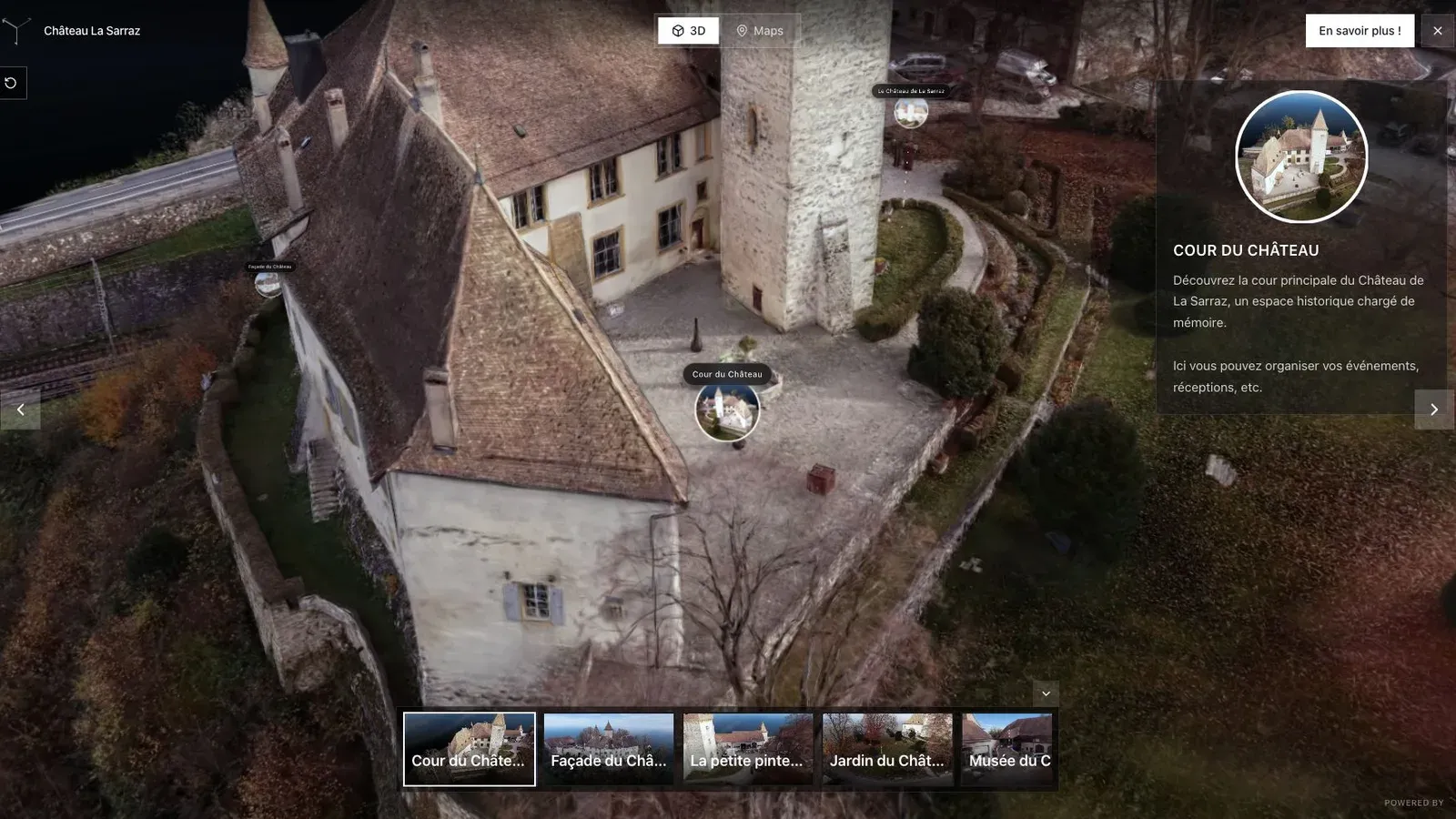
A heritage tour needs guided views so visitors can understand the building, courtyard, and points of interest.
In the heritage scene, hotspots can identify restoration work, materials, and historical uses without forcing the visitor away from the building. The title should name the subject, not say “Learn more.”
Open every point from the published link at desktop and phone widths. Check target size, keyboard focus, panel position, close behavior, and whether the anchor still makes sense after orbiting.
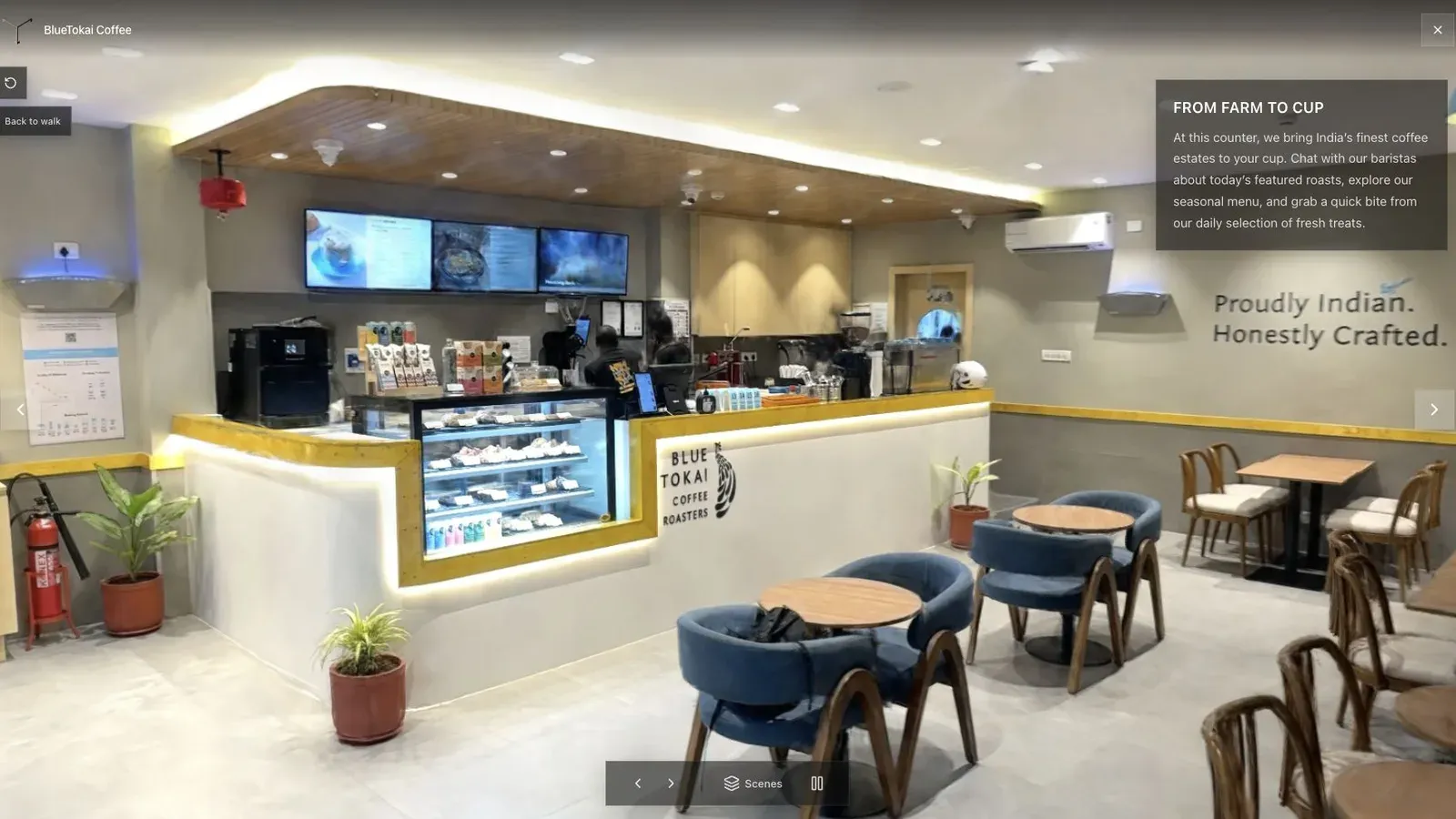
A published cafe tour gives visitors a clear first view before they move through the space.
The cafe view is a density test. Keep the counter readable and add only the details that affect a booking, purchase, or venue decision. If markers obscure the room, move them or remove them.
Track hotspot opens only if the number can select an edit. A point with few opens may be hidden, irrelevant, or placed too early. Rename, reposition, or remove it and compare the result.
Record which tours contain time-sensitive annotations and assign an owner to review them. Outdated status can be worse than no annotation. For the broader workflow, see Splat Virtual Tour Software.
For multilingual audiences, keep marker titles short and decide whether translations live inside one tour or in separate localized versions. Test text expansion on phones and avoid relying on color alone to distinguish marker types.
Questions tour authors ask
How many hotspots should a scene have?
There is no fixed target. Start with the smallest set that answers audience questions, then watch testing and usage. Remove points that repeat visible information or distract from the route.
Can a hotspot link outside the tour?
Yes, when the destination adds useful depth such as a floor plan, source, availability page, or specification. Make the destination clear and avoid sending visitors away for information that could fit in one sentence.
Related reading
Next step
Generate a splat tour
Use the guide with your own project, or inspect a published example before starting.
Continue reading
Related articles
Tour Publishing
How to Embed a Gaussian Splat Viewer on Your Website
Embed a Gaussian splat viewer or 3D tour with responsive iframe code, mobile checks, CMS notes, performance guidance, and publishing tips.
Read articleTour Publishing
360 Tour vs Gaussian Splat Tour
Compare 360 tours and Gaussian splat tours by capture speed, viewer experience, mobile performance, embeds, and sales use.
Read article