PlayCanvas Gaussian Splatting: Import, Edit, and Publish
Follow the SuperSplat import, cleanup, publishing, and HTML export workflow. Compare a simple shared viewer with a custom PlayCanvas app or guided tour.

In this guide
PlayCanvas can be part of a web 3D workflow; Spatial Studio fits when the job needs cloud splat generation and guided tour delivery.
Short answer
PlayCanvas has published multiple Gaussian splatting and SuperSplat updates, which makes it a useful reference point for web-based splat tooling.
PlayCanvas can be part of a web 3D workflow; Spatial Studio fits when the job needs cloud splat generation and guided tour delivery. Use PlayCanvas for custom web 3D builds; use Spatial Studio when the work starts with captured media and ends with a repeatable guided tour for a real place.
Spatial Studio covers the packaged capture-to-tour workflow: Spatial Lens on iPhone, local Mac or cloud reconstruction, photo, 360, drone and PortalCam inputs, then guided authoring, publishing, and analytics. PlayCanvas covers the custom application path.
For background, see PlayCanvas blog. Use it to compare against your own capture and publishing needs before choosing a stack.
A practical SuperSplat-to-web workflow
You do not need to build a PlayCanvas application just to share a splat. SuperSplat offers an editor and a ready-made viewer. A custom engine project becomes relevant when you need interaction code beyond those tools.
- Prepare the scene. Generate the splat in a reconstruction tool first. Check that a PLY contains Gaussian attributes; an ordinary point cloud with the same extension is not equivalent. Consult the supported import and export formats.
- Import and clean. Open the scene in the SuperSplat Editor, inspect its orientation, remove distracting regions, and choose an opening view. Keep an editable project alongside any exported delivery file.
- Choose hosting. Publish to the SuperSplat platform with a PlayCanvas account, or use File → Export → Viewer App to produce a viewer for your own hosting. The self-hosting instructions explain the export options.
- Embed if needed. Follow the viewer embedding guide. Check the actual published page on a phone and in a signed-out browser.
- Decide whether to add code. Use the PlayCanvas engine for bespoke interaction. If the requirement is a repeatable client tour with supporting media and calls to action, compare that development work with Spatial Studio tour authoring.
Large scenes need a delivery plan as well as compression. PlayCanvas documents automatic SOG compression and streamed levels of detail for hosted splats. Test the resulting link on the devices your client uses; a fast preview on the author's computer is insufficient.
Product or development platform?
| Requirement | PlayCanvas path | Spatial Studio path |
|---|---|---|
| Custom rendering or interaction code | Strong fit for a development team. | Use built-in tour behaviors rather than a custom engine. |
| Generate from raw capture | Requires another reconstruction workflow. | Local Mac and cloud generation are part of the ecosystem. |
| Build one bespoke web experience | Full control with engineering responsibility. | Faster when the experience fits guided-tour patterns. |
| Repeat across client jobs | Requires internal templates, hosting, QA, and maintenance. | Projects, publishing, embeds, CTAs, and analytics are product features. |
The decision is rarely “which renderer looks better?” It is whether custom software is part of the value you sell. If the client needs a unique interaction or product integration, PlayCanvas may justify engineering. If the client needs a reliable property or venue tour next week, Spatial Studio removes substantial product work.
Practical checklist
- Separate development tooling from client delivery.
- Check browser support and mobile performance.
- Keep the tour path simple for non-technical visitors.
- Use embeds where the splat supports a sales or content page.
- Track whether visitors use the tour.
Where this fits in a Real Horizons workflow
Use the capture source that fits the job. Real Horizons can generate the splat from that source, help you review and optimize the scene, and turn it into a tour the audience can open without extra explanation.
Common architecture mistakes
- Building a custom viewer before defining the visitor journey.
- Underestimating mobile memory, loading states, touch controls, and accessibility.
- Treating SuperSplat editing, PlayCanvas development, reconstruction, and hosting as one product.
- Forgetting who will maintain the code after the original developer leaves.
- Rebuilding standard waypoint, embed, CTA, and analytics features without a business reason.
What the finished tour should prove
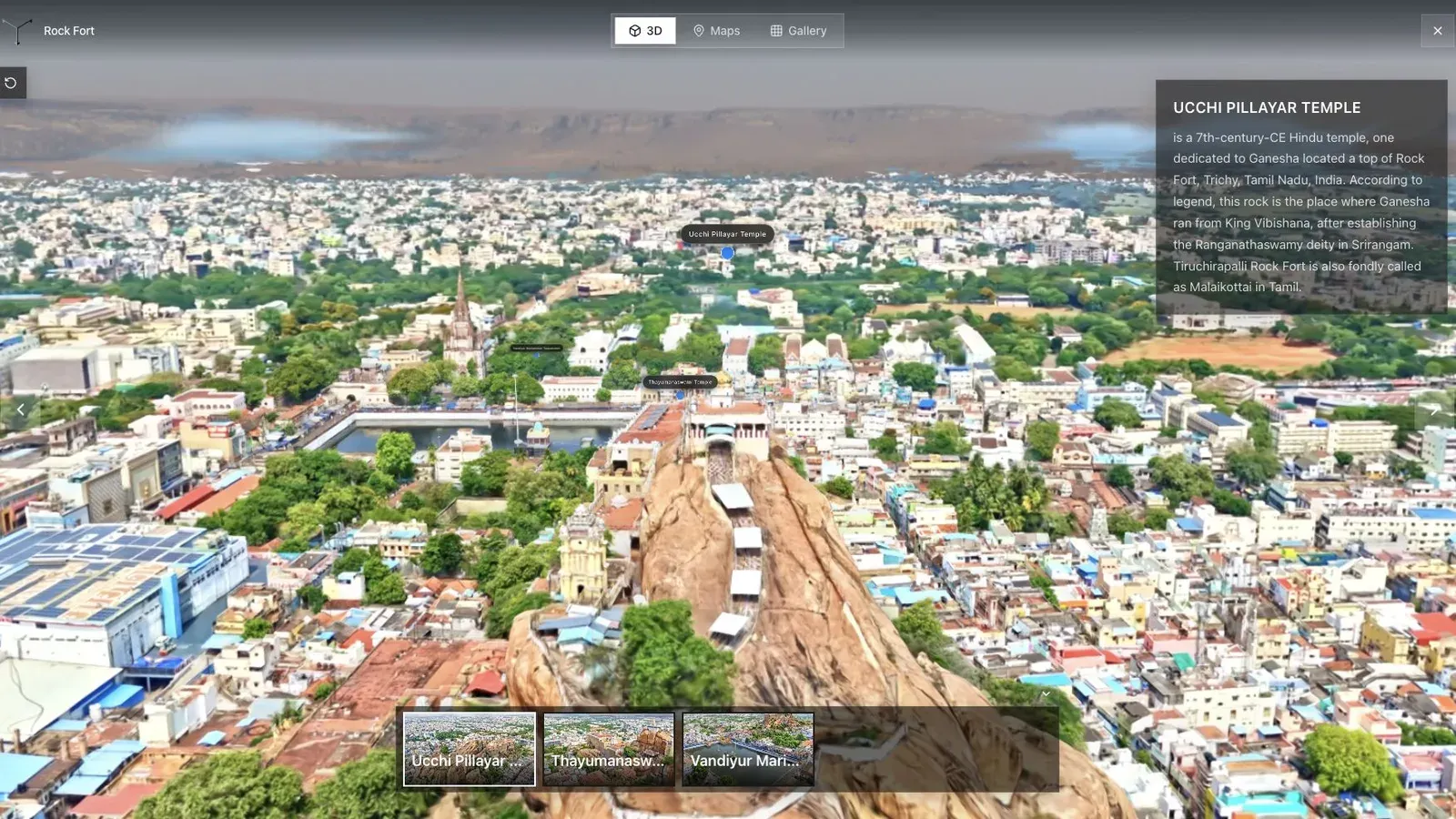
A fort and city tour shows how spatial context can connect landmarks, routes, and visitor orientation.
For a custom fort or city experience, write the acceptance criteria first: target devices, initial payload, time to a useful view, movement model, landmark navigation, fallback behavior, and analytics events. A renderer demo does not answer those product questions.
Build the smallest interaction slice before importing the full scene. If a compressed representative asset cannot meet the mobile budget, adding more landmarks and UI will not rescue the architecture.
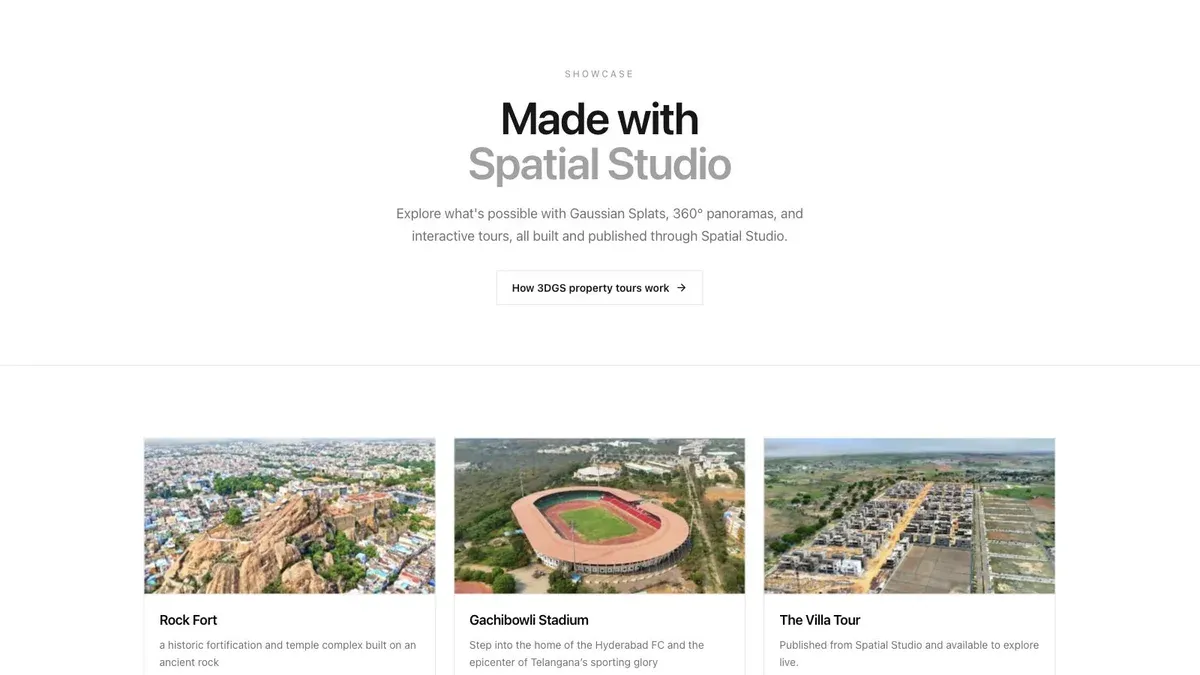
A showcase grid lets buyers or clients scan several finished tours before opening one.
For repeatable client work, compare the effort of that slice with a finished Spatial Studio tour. Include reconstruction, editor time, deployment, mobile QA, analytics, revisions, and ongoing maintenance. Custom development wins when its unique behavior earns the cost, not merely because the stack is flexible.
The two can coexist. A team may clean an asset in SuperSplat, build a special PlayCanvas installation, and use Spatial Studio for the larger set of standard guided tours.
Frequently asked questions
Is PlayCanvas a Spatial Studio alternative?
Only at the level of the finished web experience. PlayCanvas is a development platform. Spatial Studio is a productized capture, reconstruction, authoring, and publishing workflow.
Do I need a developer for Spatial Studio?
No for standard tour authoring and embeds. A developer may still be useful for custom website integration around the tour.
Which is better for a unique branded 3D application?
PlayCanvas may be the better foundation when unique interaction code is the main requirement and the team can own the engineering lifecycle.
Related reading
Next step
Generate a splat tour
Use the guide with your own project, or inspect a published example before starting.
Continue reading
Related articles
Splat Tools
Gaussian Splat Viewer Online: Open and Inspect Splat Files
Open Gaussian splat files online with Spatial Studio Splat Viewer. Inspect PLY, compressed PLY, SPLAT, KSPLAT, SOG, SPZ, and hosted LOD scenes in the browser.
Read articleCapture Workflows
How to Make a Gaussian Splat on Mac from Photos or Video
Create a 3D Gaussian splat locally on an Apple silicon Mac from photos or video. Follow the capture, processing, review, export, and publishing workflow.
Read article