Real Estate Splat Capture Checklist
A real estate splat capture checklist for rooms, transitions, buyer orientation, exterior context, mobile testing, and client delivery.

In this guide
A real estate splat should be captured around buyer orientation and scene coverage.
Short answer
A property tour earns trust when buyers can understand entry, room order, views, finishes, and the next action.
A real estate splat should be captured around buyer orientation and scene coverage. A useful test is simple: can someone open the tour, understand the place, and know what to do next without a separate explanation?
Spatial Studio supports a property workflow across Spatial Lens on iPhone, local Mac reconstruction, cloud generation, 360 and drone capture, DSLR sets, PortalCam, mixed media, and existing splats. The checklist below keeps those choices tied to the listing the client expects.
Before arriving
| Confirm | Why |
|---|---|
| Property access, alarm, parking, and expected time on site | Capture quality drops when the operator is rushed or interrupted. |
| Rooms and exterior areas included in the package | The route should match the sold deliverable. |
| Lights, blinds, screens, fans, pets, and people | The scene should remain visually stable across the pass. |
| Required outputs, hosting term, and CTA | Capture detail should support the final listing experience. |
Choose the source before arrival. Use Spatial Lens or phone video for a compact interior, a 360 camera for broad connected coverage, drone media for site context, photos for controlled detail, or PortalCam for a professional hardware path. A mixed workflow is useful only when each input answers a property question.
On-site route
- Walk the property without recording and identify the hardest doorway or exposure change.
- Begin with a stable establishing area, then move through rooms in a logical order.
- Slow down before and after every doorway, stair, mirror, and bright window.
- Cover the kitchen island, large furniture, and other occlusions from more than one side.
- Add exterior context only when it improves understanding of access, view, land, or amenities.
- Scrub the source before leaving and repeat any weak transition.
The route does not need to match the published order. Capture for geometric coverage. Author later for buyer comprehension.
After generation
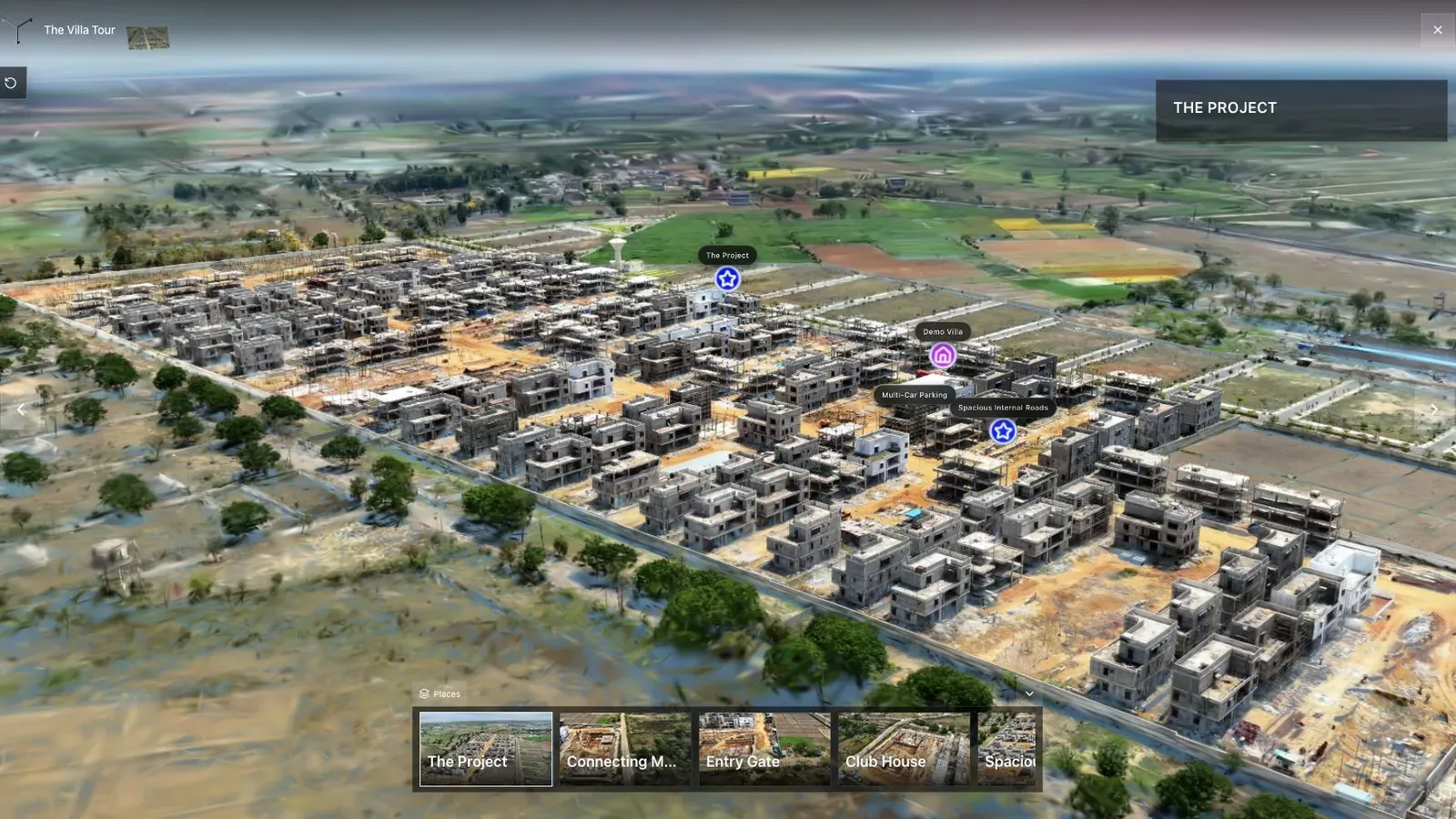
For land and development work, the checklist must include approach, boundaries, plot context, and a sales route beyond the building interior.
Inspect every sold feature before authoring. Check the entry, kitchen, living connection, primary bedroom, balcony or view, amenity, and exterior. Mark defects that need cleanup separately from areas that require recapture.
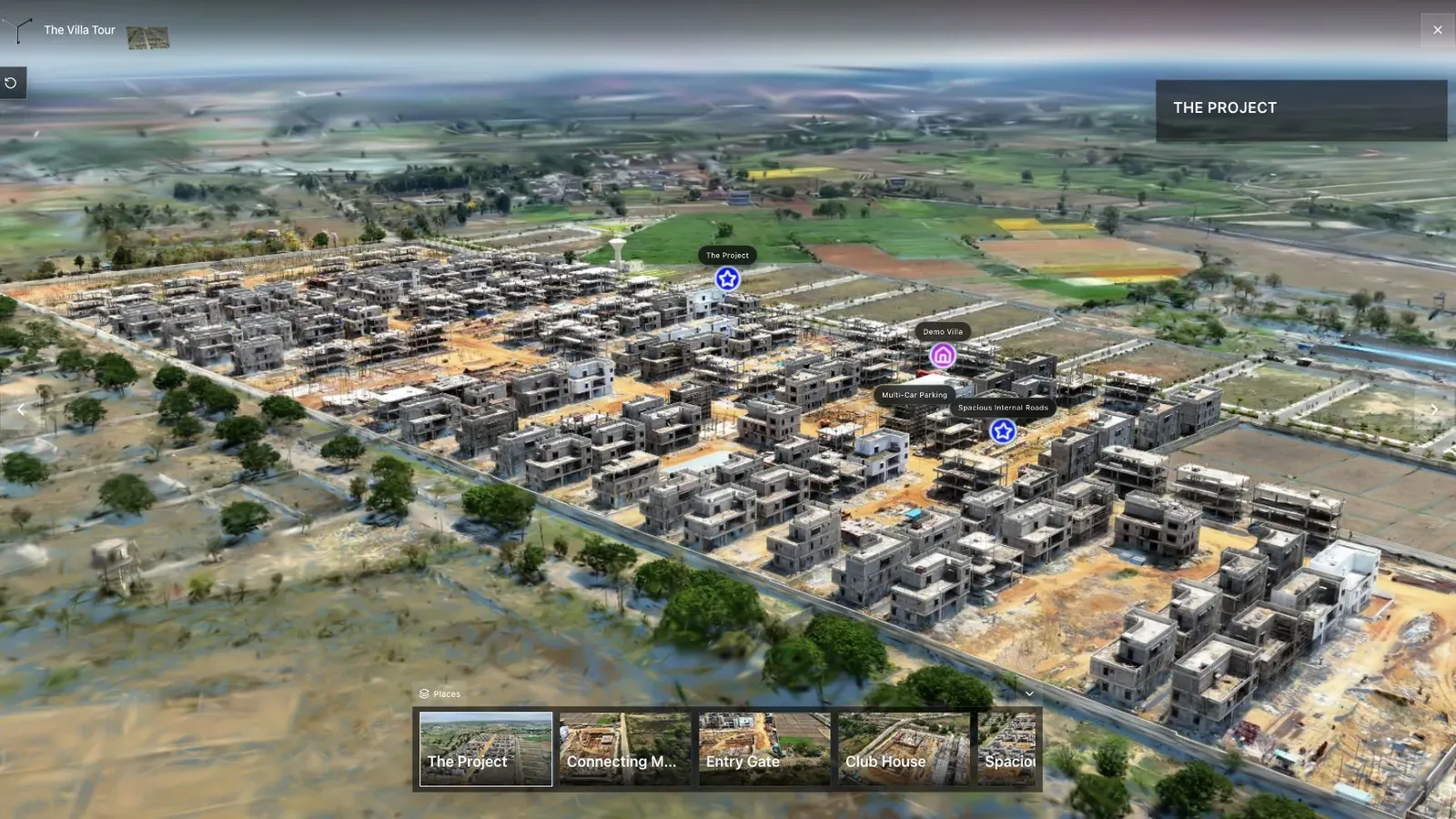
The waypoint list should resemble the property brochure, not the camera operator's file names.
Set the first view where the listing makes immediate sense. Add concise room names and hotspots only for details an agent would mention in person. Place the listing, inquiry, or showing CTA where it remains useful on mobile.
Pre-delivery QA
- Open the public URL in a private browser window.
- Review the first room and first transition on a phone over cellular data.
- Test every waypoint, hotspot, floor-plan link, embed, and CTA.
- Confirm the property name, agent branding, contact destination, and active hosting term.
- Send the agent one clear review link and record requested changes.
Frequently asked questions
Should every listing use the same capture source?
No. Standardize decision rules and QA, not one camera. Let property size, light, exterior context, detail needs, and budget determine the source.
How many waypoints should a property tour have?
Use enough to cover the decisions a buyer cares about without turning navigation into a room inventory. A compact listing may need only a handful.
What should I capture for a hotspot?
Provide clean coverage of the feature and enough surrounding context to locate it. The hotspot copy cannot rescue an unreadable finish or appliance detail.
Related reading
Next step
Generate a splat tour
Use the guide with your own project, or inspect a published example before starting.
Continue reading
Related articles
Capture Workflows
How to Make a Gaussian Splat on Mac from Photos or Video
Create a 3D Gaussian splat locally on an Apple silicon Mac from photos or video. Follow the capture, processing, review, export, and publishing workflow.
Read articleCapture Workflows
Photogrammetry vs Gaussian Splatting on Mac
Compare photogrammetry and Gaussian splatting on Mac by output, geometry, visual quality, capture, editing, measurement, hardware, and delivery workflow.
Read article