Splat Tour Analytics: What to Track
Track splat tour analytics that matter: views, movement, CTA clicks, embeds, inquiry paths, and post-share performance.

In this guide
Track actions that connect the tour to sales or learning, not only page views.
Short answer
A tour becomes easier to improve when teams can see where visitors stop, move, and click.
Track actions that connect the tour to sales or learning, not only page views. A useful test is simple: can someone open the tour, understand the place, and know what to do next without a separate explanation?
Tour analytics should distinguish arrival, successful load, meaningful exploration, interest in key content, and the intended next action. Spatial Studio connects these events to cloud and Mac generation, Spatial Lens capture on iPhone Pro, tour authoring, embeds, hotspots, and CTAs.
How to judge the workflow
| Funnel stage | Example signal | What it can diagnose |
|---|---|---|
| Arrival | Tour page viewed | Campaign reach and source quality |
| Readiness | Scene became interactive | Load failure versus abandonment |
| Exploration | Meaningful move or second waypoint | Whether the visitor inspected the place |
| Interest | Key hotspot opened | Which features answer questions |
| Action | CTA and destination completion | Business value beyond engagement |
Practical checklist
- Track opens by source and campaign.
- Track waypoint usage.
- Track hotspot and CTA clicks.
- Compare mobile and desktop behavior.
- Review pages with high views but low tour starts.
Why Real Horizons is different
Measure the gaps between stages instead of celebrating a page-view total. A large arrival-to-readiness drop suggests performance or compatibility. A readiness-to-exploration drop points toward the opening view, controls, or audience mismatch.
Common mistakes
- Counting every pointer movement as engagement.
- Mixing staff previews with public traffic.
- Reporting CTA clicks without destination completions.
- Changing event names halfway through a campaign.
- Comparing direct links and embeds without separating their traffic sources.
Published-tour checks that matter
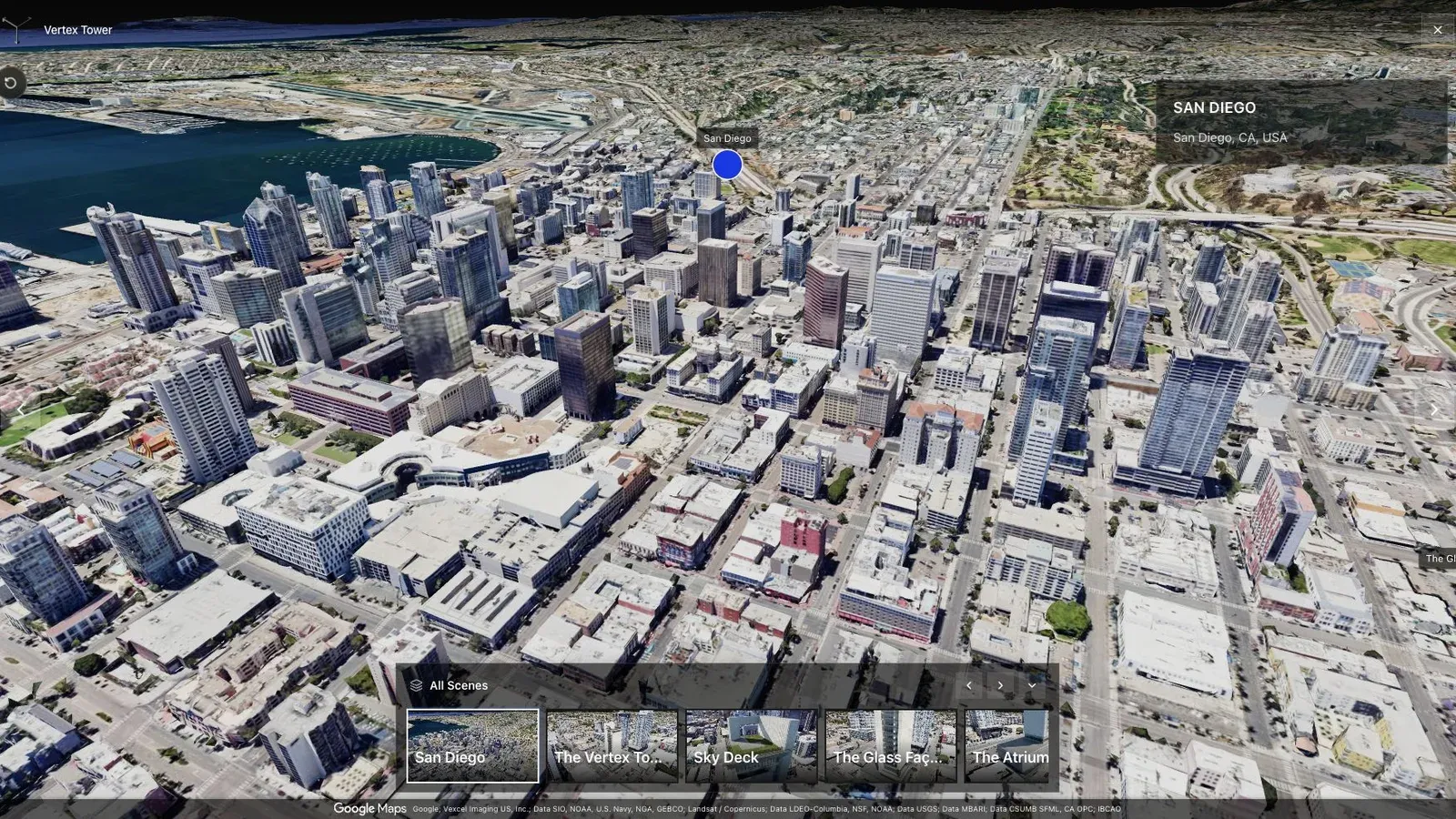
A city-scale map tour gives large sites the context that a room-by-room viewer cannot provide alone.
The city-scale view helps explain a route metric. If visitors load the tour but never reach an important zone, inspect orientation and waypoint naming before changing the offer.
Segment results by source, device, and campaign intent. A private stakeholder review, QR code at a site, embedded hotel tour, and public showcase card should not share one benchmark.
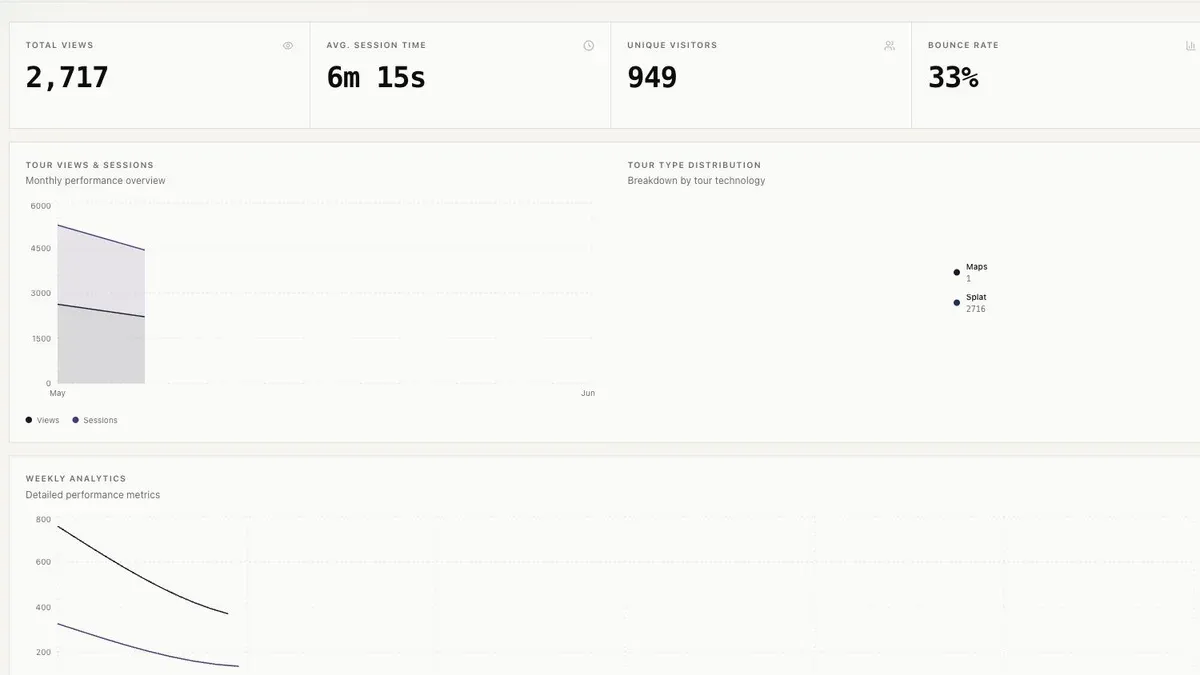
Analytics matter after launch because the team needs to know which tours, stops, and CTAs receive attention.
Use the dashboard to ask a weekly question: which tour fails to become interactive, which route loses visitors, or which CTA gets clicks without completed inquiries? Each question should result in a testable edit.
Do not assume long sessions are good. A visitor may find the answer quickly or may be stuck. Interpret duration alongside route completion, repeat visits, and action events.
Collect only the data needed for the decision, document retention, respect consent on the surrounding site, and filter internal QA where possible. Read Gaussian Splatting for Real Estate for the wider use case.
Review analytics with the sales or marketing team, not only the capture operator, so the numbers connect to real follow-up decisions.
Questions analytics teams ask
What counts as meaningful exploration?
Define a threshold suited to the tour, such as reaching a second distinct waypoint or making a deliberate scene move after readiness. Avoid counting automatic camera motion or tiny pointer movement.
How often should the report be reviewed?
Review often enough to change the active campaign. Weekly is a useful starting cadence for live promotion, while lower-traffic evergreen tours may need a longer window before conclusions are reliable.
Related reading
Next step
Generate a splat tour
Use the guide with your own project, or inspect a published example before starting.
Continue reading
Related articles
Tour Publishing
How to Embed a Gaussian Splat Viewer on Your Website
Embed a Gaussian splat viewer or 3D tour with responsive iframe code, mobile checks, CMS notes, performance guidance, and publishing tips.
Read articleTour Publishing
360 Tour vs Gaussian Splat Tour
Compare 360 tours and Gaussian splat tours by capture speed, viewer experience, mobile performance, embeds, and sales use.
Read article