CTAs Inside 3D Tours: Booking, Inquiry, and Lead Capture
Place CTAs inside 3D tours where visitors have enough context to book, inquire, compare, or request the next step.

In this guide
The CTA should match the point in the tour where the visitor has enough context to act.
Short answer
A 3D tour CTA should ask for the next reasonable commitment, not the largest possible commitment. Put “Check availability” after a guest has seen the rooms, “Request a site visit” after a buyer understands the plot, or “Download the floor plan” beside the relevant space. One clear action usually beats a row of generic buttons.
Spatial Studio puts this conversion step inside the same system used for splat generation, guided-tour authoring, publishing, embeds, and analytics, so the action can retain its tour and campaign context.
Match the action to visitor intent
| Tour | Strong primary CTA | Useful secondary action |
|---|---|---|
| Home listing | Schedule a viewing | Ask the agent a question |
| Hotel or rental | Check dates | View room details |
| Event venue | Request availability | Download capacity sheet |
| Development | Ask about a plot or unit | Book a site visit |
| Museum or campus | Plan a visit | Share the tour |
Placement and measurement
Do not cover the opening view with a modal. Let the visitor orient first. A quiet persistent action can remain in the tour chrome, while contextual actions appear at the relevant waypoint. Repeat the primary CTA at the natural end of a guided route.
Use wording that reveals the outcome. “Submit” hides it. “See pricing,” “Check dates,” and “Talk to the leasing team” reduce uncertainty. On mobile, make sure the action is reachable without colliding with navigation, and test the destination form as carefully as the tour.
Track arrival, meaningful tour interaction, CTA click, and completed destination action. A high click count with no completed inquiry can mean a mismatched promise or broken form rather than weak interest.
Where Spatial Studio fits
Spatial Studio keeps CTA authoring beside generation, tour publishing, embeds, and analytics. Teams can generate from phone, 360, drone, photo, or mixed captures in the cloud, use the Mac or Spatial Lens iPhone Pro apps when those fit the job, then publish and measure the experience without rebuilding it in another marketing tool.
CTA mistakes
- Asking for a booking before the visitor understands the offer.
- Giving five buttons equal visual weight.
- Reusing the same CTA for a home, hotel, campus, and land project.
- Sending paid traffic to an untracked generic contact page.
- Hiding the action under mobile navigation.
Review the CTA in context
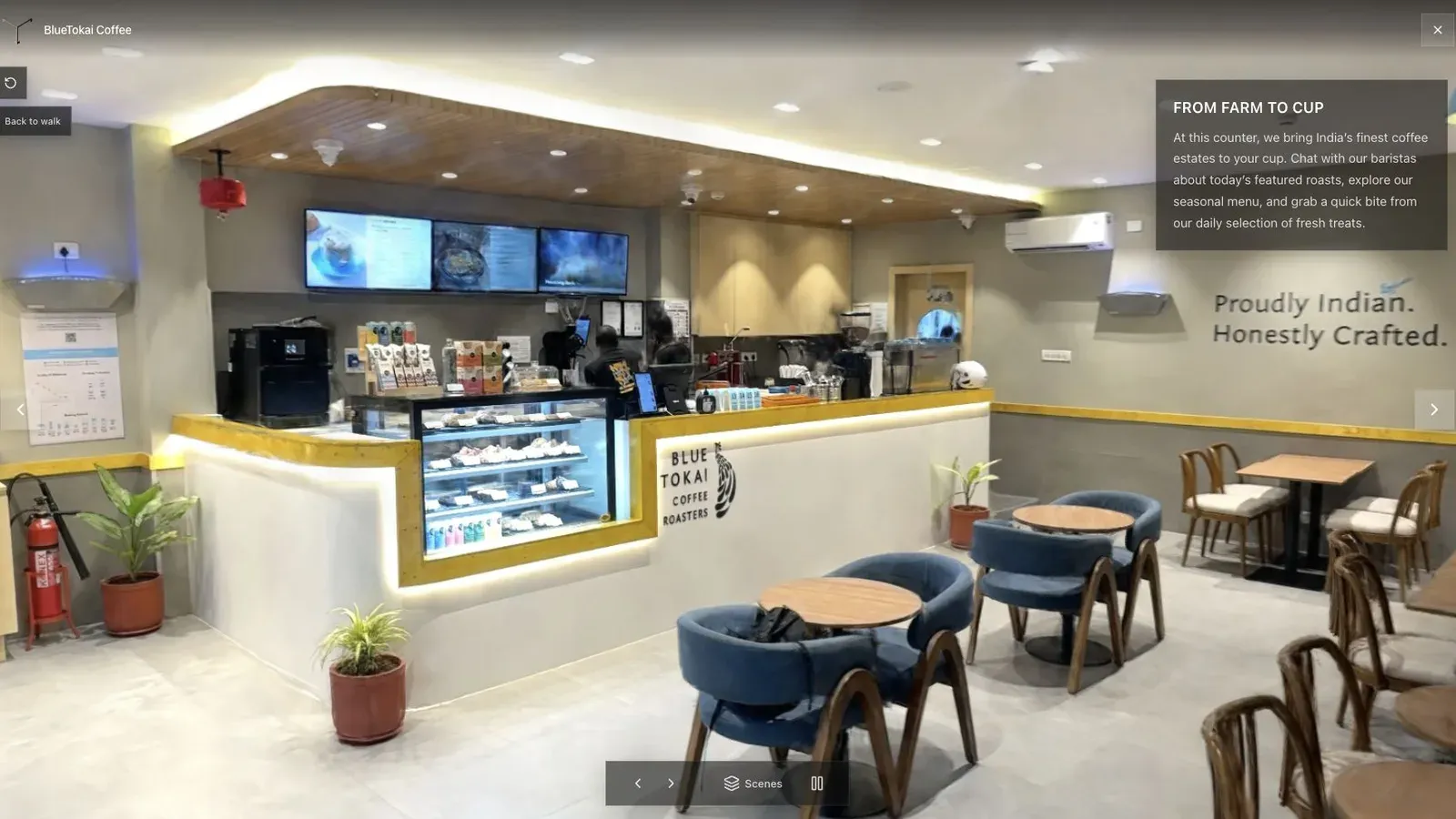
A published cafe tour gives visitors a clear first view before they move through the space.
At the cafe view, first ask whether the visitor understands the space. The CTA should arrive after that answer, perhaps when a venue buyer reaches seating or service capacity, not before the scene has loaded.
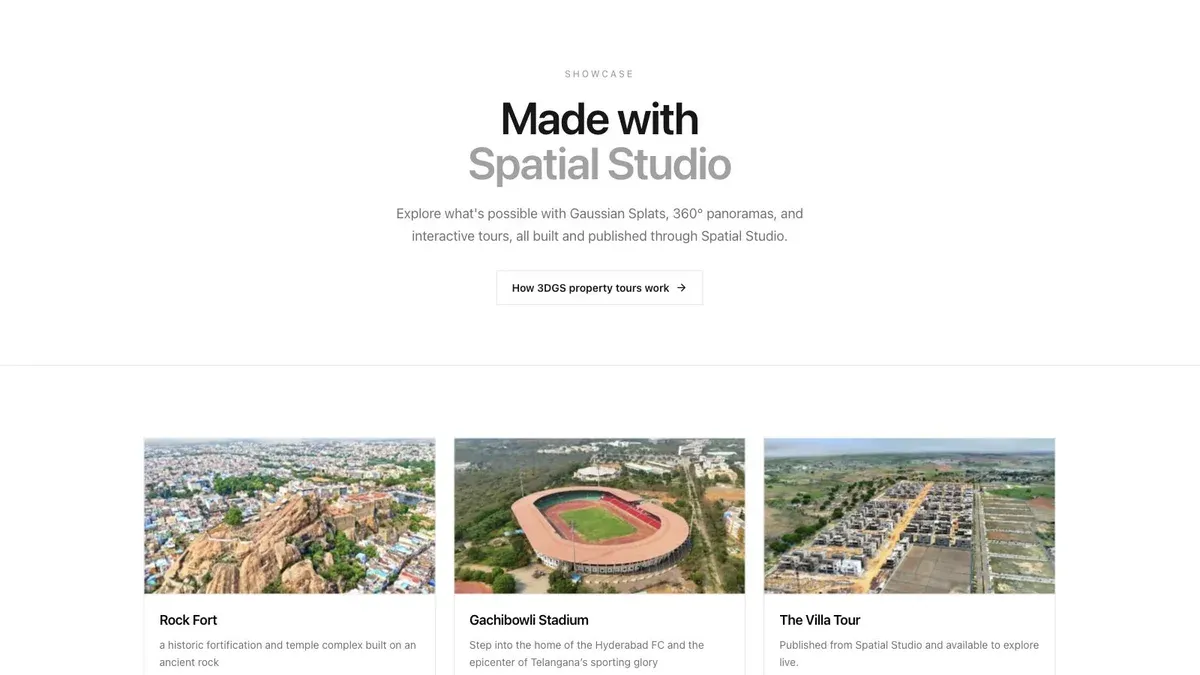
A showcase grid lets buyers or clients scan several finished tours before opening one.
In a showcase, each card may serve a different audience. Preserve campaign context when a visitor opens a tour and do not reuse the same button blindly across projects.
Before launch, test the primary action in a logged-out browser on desktop and phone. Confirm readable contrast and keyboard focus, preserve source and tour identifiers, and check the completion event on the destination. Review interaction-to-click and click-to-completion rates separately.
For the wider authoring workflow, read Splat Virtual Tour Software and Gaussian Splatting for Real Estate.
Questions marketers ask
Should a CTA stay visible throughout the tour?
A quiet persistent action can work if it does not cover the scene or navigation. Contextual actions should appear near the feature that makes them relevant, with the primary action repeated at the end of a guided route.
What should be measured after a CTA click?
Track the destination outcome, such as a completed inquiry or booking step. Clicks alone cannot show whether the form worked, the promise matched, or the visitor finished.
Related reading
Next step
Generate a splat tour
Use the guide with your own project, or inspect a published example before starting.
Continue reading
Related articles
Tour Publishing
How to Embed a Gaussian Splat Viewer on Your Website
Embed a Gaussian splat viewer or 3D tour with responsive iframe code, mobile checks, CMS notes, performance guidance, and publishing tips.
Read articleTour Publishing
360 Tour vs Gaussian Splat Tour
Compare 360 tours and Gaussian splat tours by capture speed, viewer experience, mobile performance, embeds, and sales use.
Read article