Virtual Tours for Short-Term Rentals and Villas
Use virtual tours for short-term rentals and villas to answer layout, amenities, access, sleeping areas, and trust questions.

In this guide
Rental tours should answer layout, sleeping areas, amenities, access, outdoor space, and trust questions.
Short answer
Guests want to know what the stay will feel like before they commit.
Rental tours should answer layout, sleeping areas, amenities, access, outdoor space, and trust questions. A useful test is simple: can someone open the tour, understand the place, and know what to do next without a separate explanation?
Spatial Studio lets rental teams generate from phone, 360, drone, photo, and mixed capture in the cloud, work locally on Mac, or capture with Spatial Lens on iPhone Pro. The result can become a concise browser tour with property-specific booking links, embeds, and analytics.
How to judge the workflow
| Guest uncertainty | What to show |
|---|---|
| Sleeping arrangement | Each bedroom, bed type, and room relationship |
| Arrival | Exterior recognition, parking, stairs, and entry context |
| Shared space | Kitchen, dining, living, outdoor areas, and circulation |
| Suitability | Verified accessibility, safety, pet, and child information elsewhere |
| Booking | Dates and property ID preserved in the handoff |
Practical checklist
- Start with the clearest guest-facing view.
- Add stops for bedrooms, kitchen, outdoor areas, and access.
- Use hotspots for amenities and house rules.
- Embed the tour near booking context.
- Track inquiry and booking CTA clicks.
Why Real Horizons is different
Real Horizons connects cloud splat generation with guided tour publishing. Spatial Studio supports captures from smartphones, 360 cameras, 360 drones, standard drones, DSLR/photo sets, and mixed media workflows. That matters when a rental manager wants one path from room, amenity, exterior, or aerial capture to a usable booking tour instead of stitching together separate tools for processing, viewer setup, publishing, and guest handoff.
Common mistakes
- Hiding stairs, low clearances, shared areas, or awkward circulation.
- Leaving people, family photos, plates, or access codes visible.
- Showing seasonal or movable amenities without a date.
- Sending guests through a long tour before bedrooms.
- Linking to a generic portfolio instead of the exact property.
Commercial packaging example
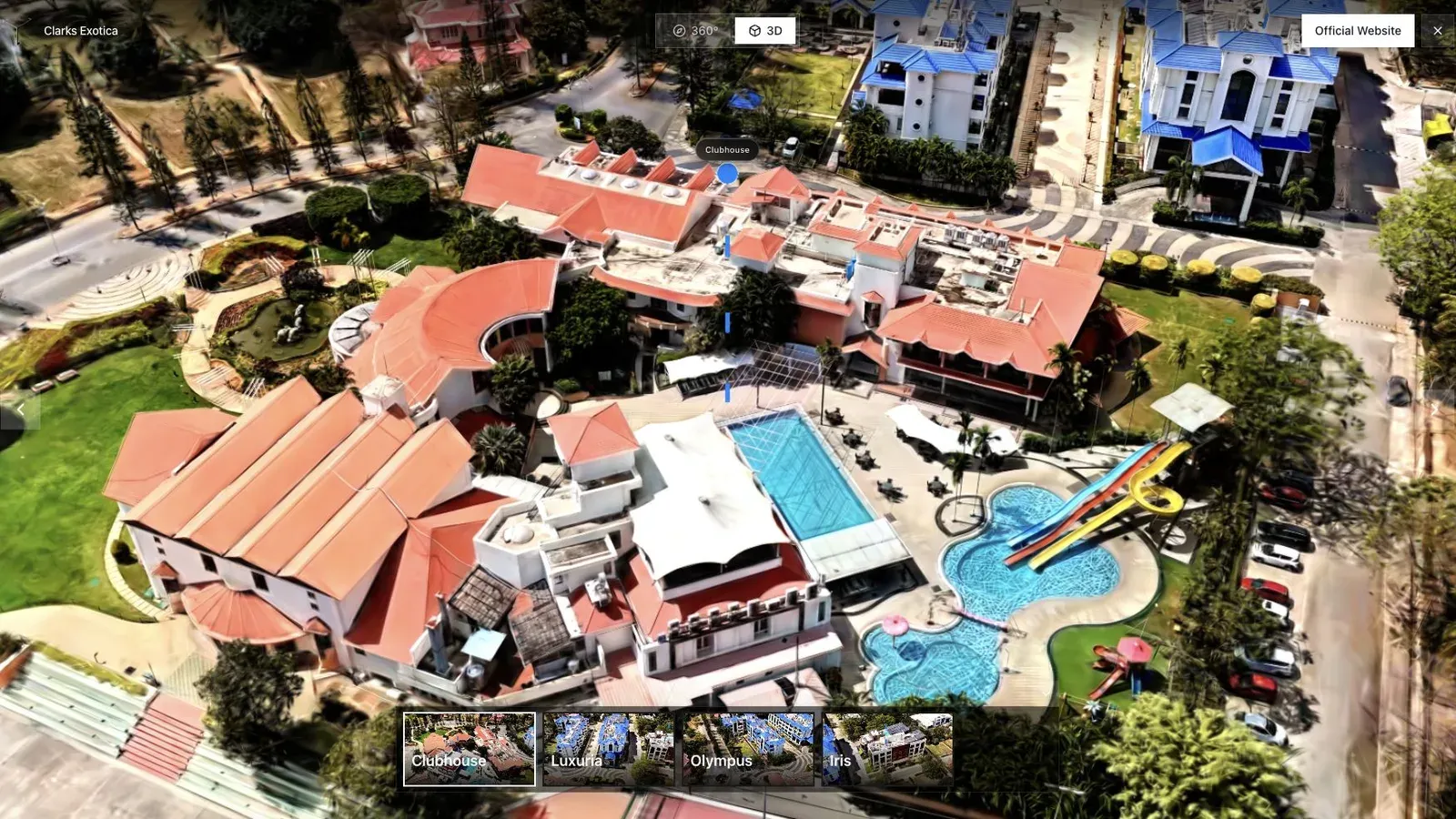
A resort or hospitality tour benefits from an opening view that shows amenities and surrounding context.
For this use case, the important question is what the tour helps a guest trust. Rental guests may need to understand the sleeping layout, kitchen, outdoor space, parking, access, views, and whether the listing photos match the actual flow. For villa owners, rental managers, and hospitality marketers, the tour should answer those questions before the booking conversation starts.
Use the tour to make the listing more truthful, not merely more dramatic. Show the actual route from entrance to living and sleeping areas and label representative or changed furniture clearly.
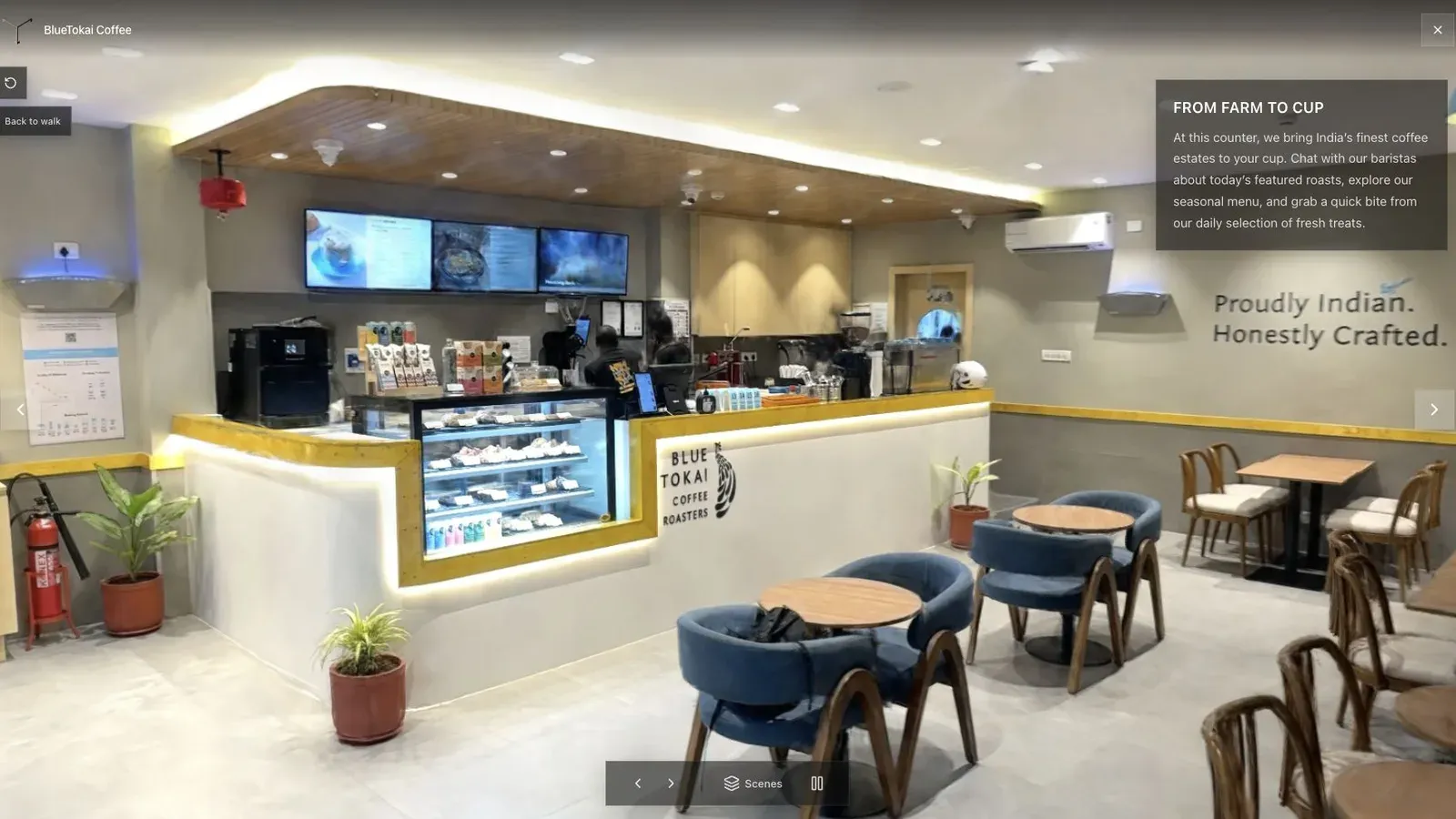
A published cafe tour gives visitors a clear first view before they move through the space.
Aerial context may help a villa or rural property, while an apartment often needs only a short interior route and arrival context. Keep the web delivery light because most guests will open it from a phone inside a booking flow.
Verify privacy, current furnishings, property identity, direct-booking rules, and the exact booking destination. Recheck after renovations or major furniture changes. Treat tour engagement as a listing-quality signal, not a substitute for booking and guest-satisfaction data.
Questions rental teams ask
Can a tour reduce guest complaints?
It can make layout, stairs, room relationships, and arrival clearer, but only if it is current and honest. It does not replace accurate listing text, accessibility facts, house rules, or responsive guest communication.
Where should the tour be linked?
Use the exact property page or pre-booking message where platform rules allow it. Preserve the property identity when the guest moves from the tour to availability or direct booking.
Related reading
For hospitality media providers
Use Gaussian Splatting for Hotels and Resorts for the larger hospitality workflow, then define pricing and hosting with How to Make Money with Virtual Tours and the Virtual Tour Revenue Calculator.
Next step
Generate a splat tour
Use the guide with your own project, or inspect a published example before starting.
Continue reading
Related articles
Commercial Use Cases
3D Map Tours for Land and Plot Sales
Use 3D map tours for land and plot sales to connect drone context, plot availability, access, landmarks, and buyer decisions.
Read articleCommercial Use Cases
3D Property Damage Documentation for Insurance and Restoration
Plan 3D property damage documentation for insurance and restoration using photos, 360 capture, Gaussian splats, guided review, and clear evidence boundaries.
Read article