Web-Based Gaussian Splatting Software: Generate, Edit, and Host
Compare Spatial Studio, SuperSplat, Splatware, Splat Labs, and VIVERSE Scene AI for online generation, local browser editing, hosting, and client tours.

In this guide
Compare online splat tools by what you have now: source video, an existing splat file, or a tour that needs hosting.
Short answer
Web-based Gaussian splatting software can reconstruct source footage on a server, edit an existing splat locally in your browser, or host a finished scene. Check which of those jobs is included before uploading files or buying a plan.
Spatial Studio by Real Horizons accepts video or image captures for cloud generation and brings the result into a browser tour editor. You can combine splats with 360 panoramas, maps, floor plans, and media, then publish a link or embed and review visitor activity.
For a quick file check, open the Spatial Studio Splat Viewer. For cleanup and delivery of an existing splat, also compare SuperSplat's editor, hosted scenes, annotations, and self-hosted viewer exports.
Separate four browser jobs
| Browser job | What the product must do | Example need |
|---|---|---|
| View | Open a local file or URL without a complex setup. | Check whether a client export is valid. |
| Edit | Select, crop, clean, optimize, and re-export. | Remove floaters before delivery. |
| Generate | Accept source media and reconstruct a splat. | Turn a 360 or phone capture into 3DGS. |
| Publish | Host a stable experience with guidance and measurement. | Embed a property tour and track its CTA. |
These jobs can overlap. SuperSplat edits and publishes existing splats; its Studio adds cameras, annotations, and collision geometry. Spatial Studio also reconstructs captures and authors tours that combine several media types. A public viewer is enough when you only need to inspect a compatible file.
Five online tools, five different starting points
A browser interface does not tell you where your files are processed. First decide whether you have source video, an existing splat, or a finished tour to host.
| Tool | Start with | Main reason to evaluate it | Boundary to check |
|---|---|---|---|
| Spatial Studio | Source media or an existing splat | Cloud generation followed by guided tour authoring and publishing | Generation uses an account and applicable credits; hosting has plan limits. |
| SuperSplat | An existing splat | Local browser editing, hosting, annotations, collision, exports, and API publishing | Editing stays local until publishing; reconstruction from raw capture uses another tool. |
| Splatware | Images or supported 360 footage | A documented capture-to-training workflow with downstream exports | Verify preparation requirements and the current plan for your input. |
| Splat Labs | Splats produced by capture tools | Hosted review, measurements, annotations, and guided walkthroughs | Compare active-project limits and the features included in the chosen plan. |
| VIVERSE Scene AI | MP4 or MOV video up to 5 GB | Upload video, generate an interactive scene, and export a 3D model | Check account access, export formats, and delivery options against the client brief. |
Official pages checked October 3, 2026. Real Horizons makes Spatial Studio. We compared documented capabilities; we have not tested all five products on the same capture.
SuperSplat's Studio documentation covers annotated hotspots, named cameras, and collision for walkable scenes. Its import and export guide lists PLY, SOG, SPZ, Splat, and viewer-app exports, and its API documentation covers publishing from other applications. Evaluate those delivery options if reconstruction is already handled elsewhere.
For an existing file, open the public viewer first. For a new reconstruction, follow video to Gaussian splat. That distinction avoids uploading a finished PLY to a generator that expects camera footage.
Practical checklist
- Try the exact camera export or splat format you will use on client jobs.
- Inspect missing coverage and cleanup needs before building the visitor route.
- Open the published link while logged out, then test the embed on the client's page.
- Check the first view and navigation on a phone with an uncached load.
- Confirm who will keep the tour online and handle revisions after delivery.
Web viewer vs web workflow
A web viewer opens a file or URL so you can inspect the scene. A web workflow covers more of the job: source upload, generation, file review, opening view, guided navigation, sharing, embeds, and measurement.
Use a viewer for quick checks. Use a workflow platform when the result needs to be sent to buyers, guests, stakeholders, or clients who should not need setup instructions.
Where Spatial Studio fits
Start with an existing splat in the tour workspace, or upload video or photos through splat generation. Phone video, image sets, prepared 360 footage, and drone captures use different capture routes; follow the video-to-splat guide or 360 camera guide for your source.
After reconstruction, inspect missing coverage and stray splats, set the opening view, and add the rooms or stops visitors need. Combine the scene with panoramas, a floor plan, a map, or media where those explain the space better. Add hotspots and a contact action, preview on desktop and mobile, then publish. Draft edits and the published version are separate, so review and republish changes before asking the client to check them.
For the handoff, send the published URL, the embed code if needed, and the hosting term you agreed with the client. A hosted tour link gives visitors access to the published experience; it does not give them the editable project or a self-hosted tour package. Decide who will maintain the account, publish revisions, and keep the link available. See Gaussian splat hosting for the delivery checklist and published tours for examples to inspect.
Browser workflow mistakes
- Assuming “web-based” means the heavy processing happens in the browser.
- Testing with a cached desktop session and missing first-load mobile behavior.
- Choosing an editor when the team actually needs generation or hosted tours.
- Ignoring upload limits, storage regions, privacy, retention, and export rights.
- Sending a viewer URL before setting a useful camera and fallback experience.
What the finished tour should prove
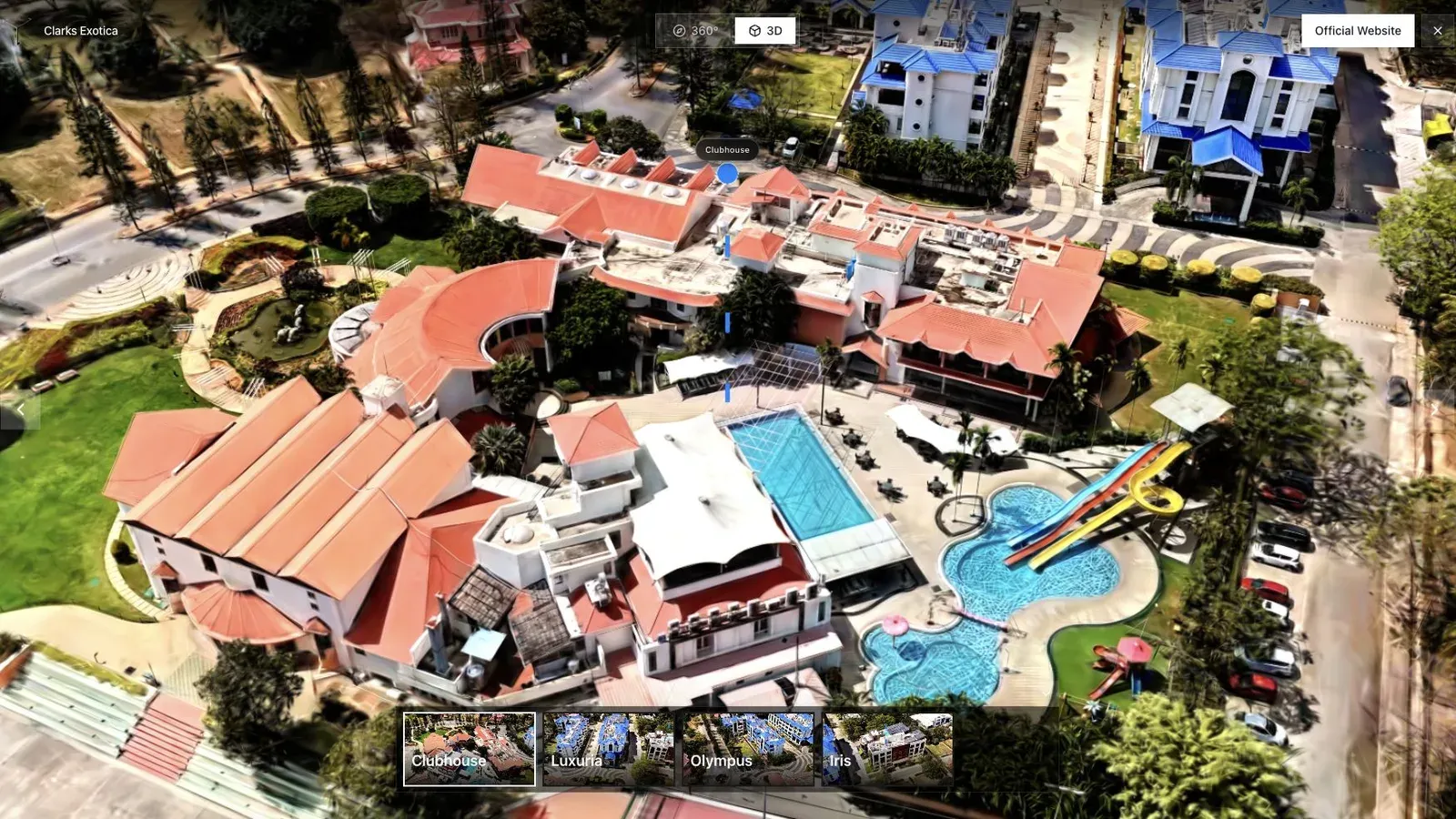
A resort or hospitality tour benefits from an opening view that shows amenities and surrounding context.
For a resort, the browser experience must do more than render a scene. It should establish the property, expose the useful amenities, allow touch navigation, and lead naturally to availability or booking. Run that complete path on a phone the production team did not use.
Time the first useful view rather than the moment the page shell appears. Record whether controls remain responsive, whether a visitor can recover after getting lost, and whether the direct link works outside an authenticated session.
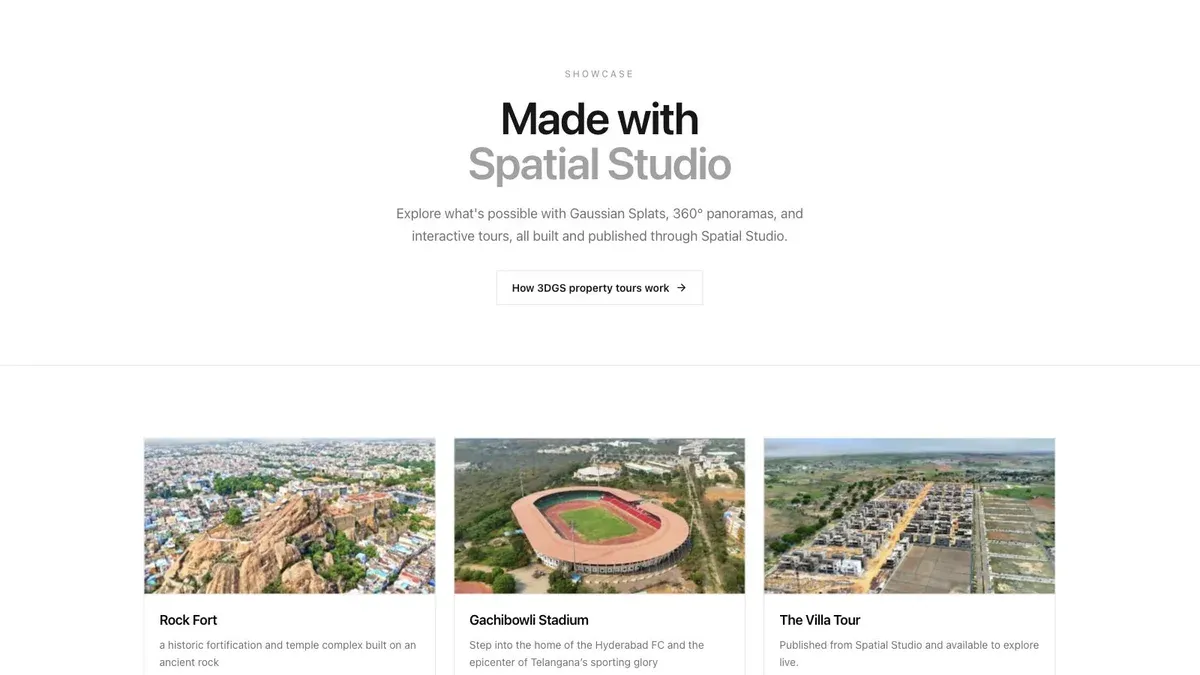
A showcase grid lets buyers or clients scan several finished tours before opening one.
If the business publishes many scenes, the library and version model matter. Check how drafts, published versions, client review, archival, and billing behave. A polished single-scene demo does not reveal portfolio operations.
For custom applications, compare PlayCanvas and its ecosystem. For an existing splat, test SuperSplat's editing and publishing path. For reconstruction followed by a mixed-media tour, test the Spatial Studio path above against the same client brief.
Frequently asked questions
Is web-based Gaussian splatting processed locally?
Sometimes, but not by definition. A browser interface may upload media for remote compute. Verify the product's exact architecture and privacy terms.
Can Spatial Studio open an existing splat without an account?
Yes. The public viewer opens compatible splat files without signing in. It is a file-inspection tool; generation, saved projects, and publishing use a Studio account. Check the viewer guide for supported formats and hosted LOD packages.
When should I choose a local Mac app instead?
Choose local processing when privacy, offline iteration, hardware ownership, or direct file export matters more than cloud convenience and cross-device authoring.
Use a simple acceptance test before choosing the stack. Open the raw file in the Splat Viewer, then open the published tour in a normal browser. Move through the first three important views and check whether the file, hosting, and viewer choices stay invisible to the visitor.
Related reading
- Spatial Studio Gaussian Splatting Software
- Gaussian Splat Viewer
- Gaussian Splatting Software
- Video to Gaussian Splat
- Splat Virtual Tour Software
Next step
Open an existing file in the Spatial Studio Splat Viewer, then test the full publish path on one real space before choosing a browser-based stack.
Next step
Generate a splat tour
Use the guide with your own project, or inspect a published example before starting.
Continue reading
Related articles
Capture Workflows
How to Make a Gaussian Splat on Mac from Photos or Video
Create a 3D Gaussian splat locally on an Apple silicon Mac from photos or video. Follow the capture, processing, review, export, and publishing workflow.
Read articleTool Comparisons
Best Gaussian Splatting Apps for Mac in 2026
Compare Gaussian splatting apps for Mac, including Spatial Studio, RadianceKit, SplatScene, 3D Splat App, and OpenSplat by workflow and export needs.
Read article