Gaussian Splat Hosting: What Matters for Client Tours
Evaluate Gaussian splat hosting for client tours by generation workflow, performance, access control, embeds, updates, analytics, and reliable links.
In this guide
Hosting should cover generation handoff, performance, links, embeds, access, updates, and client delivery.
Short answer
Gaussian splat hosting delivers a scene through a browser link or website embed. For client work, check the opening view, mobile playback, access controls, published updates, and how you will maintain the link after handoff.
Spatial Studio by Real Horizons combines cloud and Mac generation with browser tour authoring, hosted snapshots, CTAs, and analytics. If you need to own the hosting infrastructure or change the renderer, compare a self-hosted viewer as well.

The hosting questions that change the decision
| Question | Why it matters |
|---|---|
| Is the link stable? | Client decks, listing pages, QR codes, and old emails should not break when the scene is updated. |
| Who controls access? | Draft projects may contain private interiors, faces, license plates, or unreleased developments. |
| What loads first? | A useful preview and opening view buy time while the heavier scene arrives. |
| Can it be embedded? | A link and an iframe solve different distribution needs. |
| Can the scene be replaced? | Updates should not force every client to change the URL. |
| What can you measure? | Visits, starts, waypoint use, and CTA clicks reveal whether the tour is helping. |
| Can you leave? | Export and retention rules matter if pricing, policy, or client requirements change. |
Ask for exact limits on file size, bandwidth, projects, custom branding, password protection, and retention. A low headline price can become expensive when every client tour requires a separate subscription or when traffic is billed unpredictably.
Link, embed, or owned landing page?
A direct hosted link is quickest for review and messaging. An embed keeps visitors on a property or venue website. An owned landing page gives the tour room for a title, description, contact action, related media, and search-friendly context.
These are not interchangeable. For a listing campaign, use the hosted tour as the spatial asset and the listing or campaign page as the canonical marketing page. Avoid producing several nearly identical public pages that compete for the same search query. If a client site embeds the tour, decide which page should be indexed and make that choice explicit.
Performance is part of the hosting bill
Measure a cold load over normal mobile data, not only office Wi-Fi. Record time until the visitor sees something meaningful, time until movement is usable, peak memory, and whether quality visibly degrades after the device warms up. Test one older iPhone, one mid-range Android device, and a desktop browser if the audience is broad.
Choose the lightest setting that survives those tests while preserving the subject. A rural land tour, furnished interior, and heritage artifact do not share one universal file-size target.
Where Spatial Studio fits
Spatial Studio combines hosting with the rest of the production path. You can generate in the cloud from phone video, 360 cameras, 360 drones, standard drone captures, photos, and mixed media; work locally on Mac; capture with Spatial Lens on iPhone Pro; review and author tours in the browser; then publish links or embeds with waypoints, hotspots, CTAs, and analytics. PortalCam support extends the capture choices for compatible 360 workflows.
Publish, revise, and hand over the link
In Spatial Studio, set the opening view, connect the rooms, add client branding and CTA destinations, then preview on desktop and mobile before publishing. Publishing creates a snapshot: later draft edits stay separate until you publish again. Test the direct URL and the iframe on the client’s actual website, rather than relying on the editor preview alone.
Agree who maintains the project and what happens when the hosting term ends. Record the published URL, the embed location, the revision process, and the source-file location. Sharing a viewing link is different from giving someone editing access; confirm the permissions needed for the handoff.
What a scene download preserves
Generated splats in Spatial Studio can be downloaded as SOG, SPZ, PLY, compressed PLY, or experimental GLB. Browser conversion has a 512 MiB source-file safety limit; use SOG for larger outputs. A scene file does not contain the complete hosted tour’s hotspots, media, navigation, or analytics.
For infrastructure control, SuperSplat documents viewer exports and self-hosting. Pano2VR and 3DVista also support tours combining panoramas and Gaussian splats. Check the exact output and your target browser; scene-format compatibility alone does not establish that a full project is portable.
A release checklist for every hosted project
- Open the public URL in a logged-out browser.
- Confirm the title, preview, first view, and client branding.
- Test the direct link and the actual production embed.
- Check phone navigation in portrait and landscape.
- Verify that private drafts are not discoverable.
- Trigger the intended CTA and inspect the destination.
- Record the published URL, owner, renewal date, and source-file location.
- Recheck the tour after replacing or optimizing the scene.
What the public page should prove
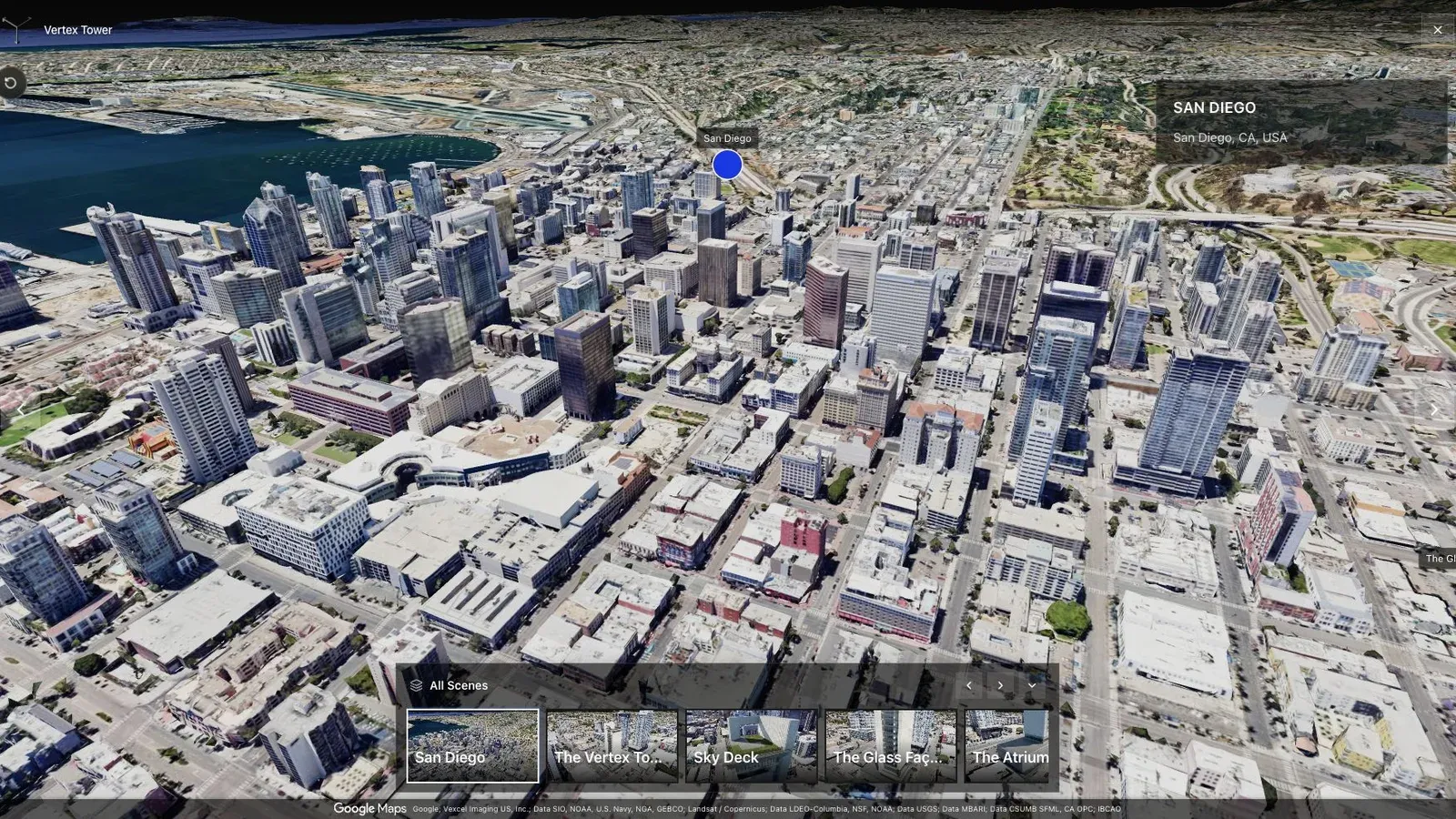
A city-scale map tour gives large sites the context that a room-by-room viewer cannot provide alone.
The city-scale map example shows why presentation matters. A large site needs orientation before detail. The host must preserve that opening context, keep labels readable, and avoid forcing the visitor to download the entire experience before understanding what it contains.
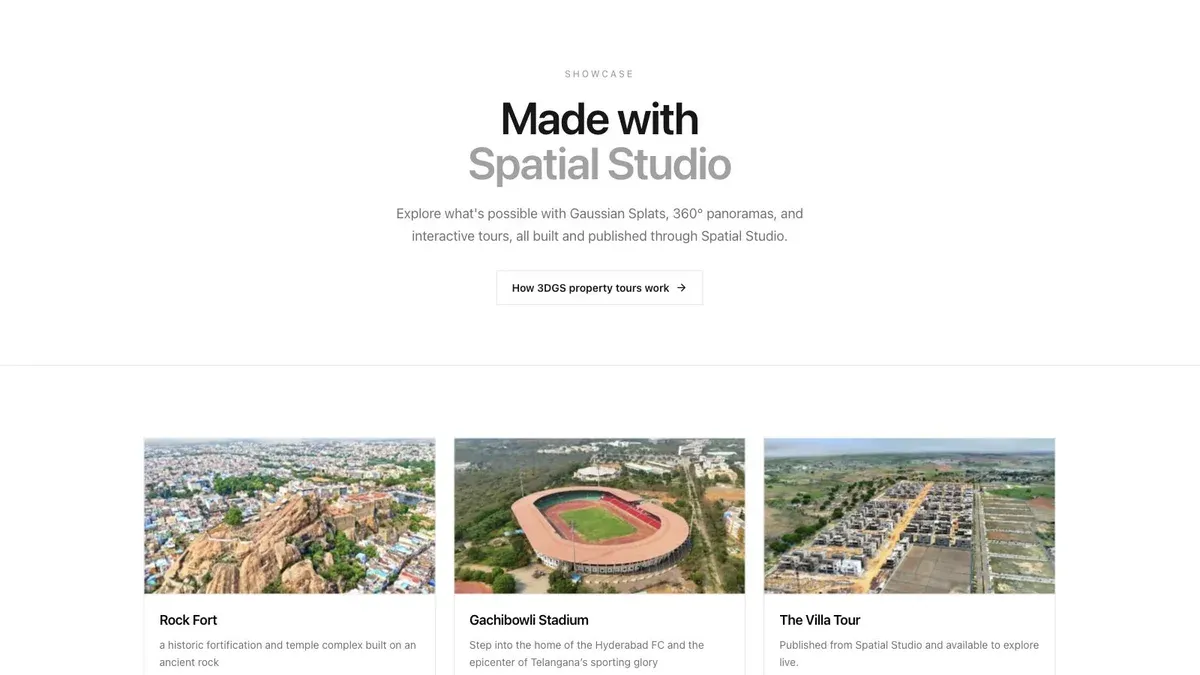
A showcase grid lets buyers or clients scan several finished tours before opening one.
Open the live showcase and inspect a tour’s opening view, room navigation, and supporting media. Keep a separate handoff record for project ownership and status; a public gallery is not a client account or editing-permission system.
Questions people ask
Can I host a Gaussian splat myself?
Yes. You need a compatible web renderer, asset delivery, a page or application around it, and a plan for compression, caching, access, updates, browser testing, and analytics. Self-hosting offers control but transfers those operating responsibilities to your team.
Should the raw PLY be public?
Usually not by default. Publish the delivery asset needed by the viewer and keep the editable source in controlled storage. Public source files can be large, easy to copy, and may expose more detail than the tour requires.
How should an agency price hosting?
Separate production from ongoing availability. Include an initial hosting term, define renewal and traffic assumptions, and state what happens to the tour and source files if the client does not renew.
Related reading
- Spatial Studio Gaussian Splatting Software
- Gaussian Splatting Software
- Video to Gaussian Splat
- Splat Virtual Tour Software
- Gaussian Splatting for AEC
- Gaussian Splatting for Heritage Preservation
- 3D Property Damage Documentation for Insurance and Restoration
Compare hosting and full-workflow products
Read Splat Labs vs Spatial Studio for a hosting-centered comparison, Splatware vs Spatial Studio for a broader creation suite, and use the Virtual Tour Revenue Calculator to include ongoing hosting in your service price.
Next step
Open the tour workspace
Open the tour workspace to prepare navigation and publishing, or inspect examples before starting.
Continue reading
Related articles
Capture Workflows
How to Make a Gaussian Splat on Mac from Photos or Video
Create a 3D Gaussian splat locally on an Apple silicon Mac from photos or video. Follow the capture, processing, review, export, and publishing workflow.
Read articleTool Comparisons
Best Gaussian Splatting Apps for Mac in 2026
Compare Gaussian splatting apps for Mac, including Spatial Studio, RadianceKit, SplatScene, 3D Splat App, and OpenSplat by workflow and export needs.
Read article