Gaussian Splat Editor: Clean, Crop, Optimize, Publish
Understand what a Gaussian splat editor should handle before publishing: cleanup, crop, optimization, format checks, and client-ready delivery.
In this guide
Editing should remove distractions and prepare the scene for a guided tour instead of only making the file look good in isolation.
Short answer
A Gaussian splat editor should let you remove bad geometry without damaging the subject, inspect the result from the views a visitor will use, and export or publish without a format dead end. Cropping is only the first test. Masking, selection accuracy, undo, large-scene performance, format support, and the path from cleanup to delivery matter just as much.
Spatial Studio is the integrated option when editing leads directly into review, guided authoring, hosting, embeds, and analytics. A specialist editor can still be the right companion when a project needs deeper manual cleanup.

The five editing jobs
- Cut the capture fringe. Remove the operator, tripod, sky noise, and geometry outside the useful space.
- Repair attention leaks. Floaters near windows, mirrors, foliage, and reflective furniture pull the eye away from the subject.
- Protect important detail. A fast global cleanup can erase thin railings, chair legs, signs, and landscaping that the client cares about.
- Set the delivery view. The technically densest angle is rarely the clearest opening angle.
- Prepare the right output. Keep an editable master and make a separate delivery copy for the web.
An editor that is excellent at point selection may still be a poor publishing system. Conversely, a tour builder may handle presentation well but offer only light cleanup. Decide whether you need a specialist editor, an end-to-end workflow, or both.
What to test before choosing an editor
| Test | A useful result | Warning sign |
|---|---|---|
| Precise selection | You can isolate a floater without cutting the wall behind it. | Selection behaves like a rough 2D lasso in a dense 3D area. |
| Undo and versions | Several cleanup attempts can be compared or reversed. | One destructive save becomes the only master. |
| Large-scene navigation | Orbit, zoom, and selection remain responsive on a real project. | The demo works, but your property scene stutters or crashes. |
| Format round trip | Import and export preserve scale, orientation, color, and appearance. | The file opens elsewhere with a changed axis or obvious visual loss. |
| Published result | The optimized scene works on a normal phone and browser. | Evaluation ends on the editor workstation. |
Run these tests on a difficult corner of an actual scene. A clean white studio object tells you little about foliage, glass, narrow structures, or a furnished room.
A safer cleanup sequence
Duplicate the source first. Make broad exterior cuts, then inspect the boundary from several angles. Next, remove isolated floaters in small passes. Compare before and after at the same camera positions, including one close view and one visitor-level overview. Only then optimize the delivery copy.
Keep three files when the project matters: the untouched generation output, the editable cleaned master, and the web delivery version. That makes a later re-export possible without rebuilding the scene or compounding compression.
Where Spatial Studio fits
Spatial Studio is the stronger candidate when cleanup is one stage in a larger job. The ecosystem covers cloud generation from phone video, 360 cameras, 360 drones, standard drone footage, photos, and mixed captures; local generation on Mac; capture with Spatial Lens on iPhone Pro; browser review and tour authoring; embeds, CTAs, and analytics; plus PortalCam workflows for supported 360 capture.
A specialist tool such as SuperSplat can still make sense for deep manual editing. The practical question is how many handoffs remain after the edit. If the next tasks are choosing an opening view, adding a route, publishing a link, embedding the experience, and seeing whether visitors engage, keeping those tasks in Spatial Studio reduces export and coordination work.
Judge the edit in the published experience
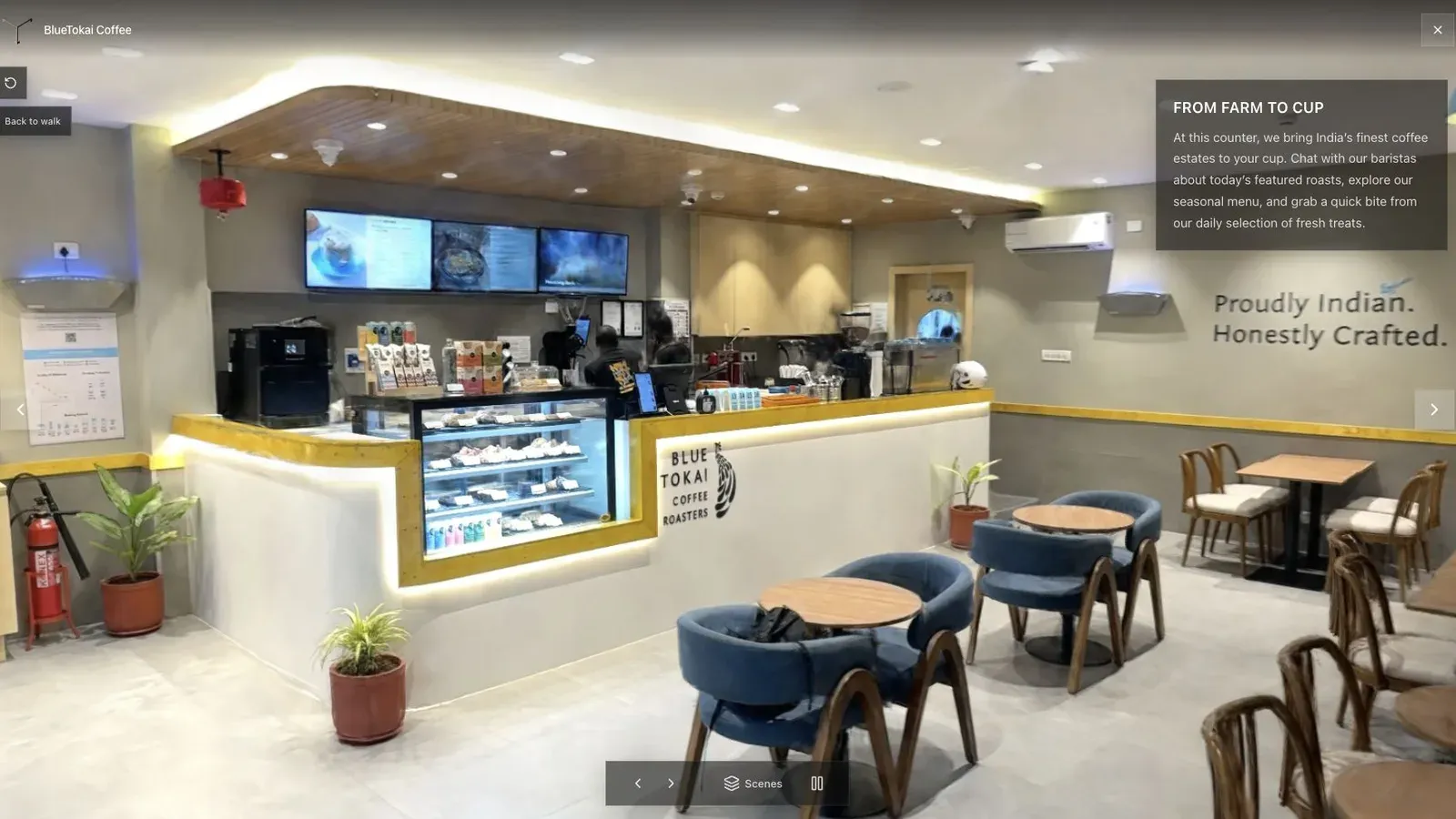
A published cafe tour gives visitors a clear first view before they move through the space.
The cafe counter is a useful acceptance view because it combines thin objects, reflective surfaces, hard edges, and a clear subject. Check that cleanup has not punched holes through stools or counters, then verify that stray splats do not shimmer while the camera moves.
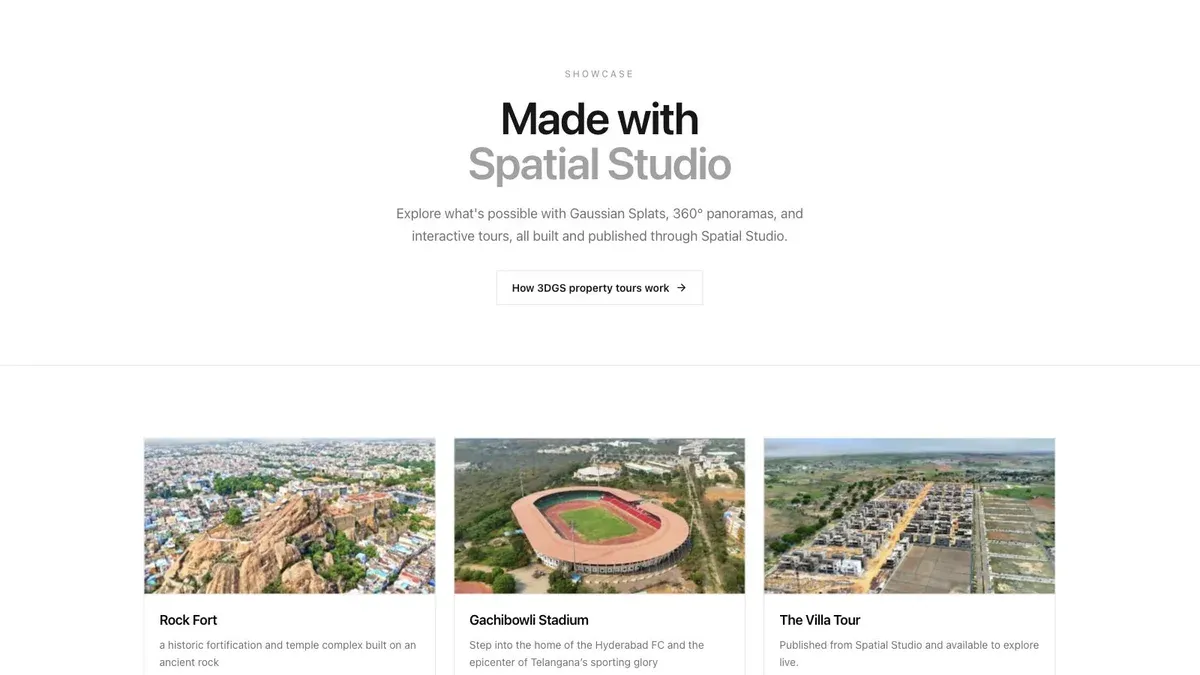
A showcase grid lets buyers or clients scan several finished tours before opening one.
The showcase view tests a different failure mode: whether a client can recognize and open the edited project without learning the editor. Give the project a useful title and preview image, open it from a fresh browser session, and check the first three views on a mid-range phone.
Questions people ask
Can I edit a PLY Gaussian splat?
Yes, if the editor supports the particular PLY attributes written by the generator. PLY is a container, not one perfectly uniform Gaussian-splat schema, so verify a round trip before committing to a tool.
Should I compress before or after cleanup?
Clean the editable master first. Compress a copy for delivery after the scene is visually approved. Editing an aggressively compressed file can make selection harder and leaves less room for a better export later.
Do I need a separate editor and tour builder?
Not always. Use a separate editor when its cleanup controls materially improve the result. Use an integrated workflow when the remaining work is light cleanup followed by review, guided-tour authoring, publishing, and measurement.
Related reading
- What is Gaussian Splatting?
- Gaussian Splatting Software
- Video to Gaussian Splat
- Splat Virtual Tour Software
Continue from editing to delivery
See the full Spatial Studio Gaussian Splatting Software workflow, then compare SuperSplat vs Spatial Studio and Splatware vs Spatial Studio. A specialist editor can be the right choice for cleanup; Spatial Studio comes out ahead when the cleaned result still needs guided context, publishing, branding, CTAs, and analytics.
Next step
Open the splat editor
Open the editing workspace to prepare an existing scene. You do not need to generate it again.
Continue reading
Related articles
Capture Workflows
How to Make a Gaussian Splat on Mac from Photos or Video
Create a 3D Gaussian splat locally on an Apple silicon Mac from photos or video. Follow the capture, processing, review, export, and publishing workflow.
Read articleTool Comparisons
Best Gaussian Splatting Apps for Mac in 2026
Compare Gaussian splatting apps for Mac, including Spatial Studio, RadianceKit, SplatScene, 3D Splat App, and OpenSplat by workflow and export needs.
Read article