SuperSplat vs Spatial Studio: Editor or Commercial Tour Workflow?
Compare SuperSplat and Spatial Studio for splat editing, optimization, formats, publishing, cloud generation, guided tours, CTAs, and analytics.

In this guide
SuperSplat edits and publishes existing splats, including annotations and collision support. Spatial Studio also reconstructs source captures and builds tours that combine splats, panoramas, maps, and media.
Short answer
SuperSplat and Spatial Studio overlap in editing, publishing, and browser viewing. SuperSplat starts with an existing Gaussian splat: clean it locally in the browser, publish a scene, add annotations and collision geometry, then share or embed it. Its editor, viewer, and conversion tools are open source; the hosted scene-management and Studio features run on superspl.at.
Spatial Studio by Real Horizons can start with video or photos for reconstruction, or with an existing splat. Its tour editor combines splats with 360 panoramas, floor plans, maps, and media, with saved views, hotspots, CTAs, and visitor reporting. Compare the input, tour format, and handoff your project requires.
If you only need to open a supported file without signing in, try the Spatial Studio Splat Viewer or SuperSplat's editor. Both products offer delivery options beyond file inspection.
Real Horizons makes Spatial Studio and publishes this comparison. We checked the documented capabilities on October 3, 2026; we have not tested both products against the same capture and client brief.
For current capabilities, see the official SuperSplat documentation and open-source repository. Verify formats and publishing behavior with your own files before choosing a stack.
If you are comparing SuperSplat alternatives
Start with what is missing from your current workflow. An editor, generator, hosted scene, and mixed-media tour solve different parts of the job.
| Need | Products to evaluate | What to check |
|---|---|---|
| Open a splat quickly | Spatial Studio Splat Viewer or SuperSplat | Use a viewer when you only need to inspect a file. |
| Crop or clean a scene | SuperSplat | It is built around browser-based splat editing. |
| Generate a splat from source media | Spatial Studio, PostShot, Nerfstudio, Polycam, KIRI, or another generator | SuperSplat starts after the scene exists. |
| Publish an annotated, walkable splat | SuperSplat or Spatial Studio | Test the opening camera, annotations, collision, sharing, and embed. |
| Combine splats with panoramas and media | Spatial Studio, 3DVista, or Pano2VR | Test navigation between the media types and the required publishing route. |
| Automate splat publishing | SuperSplat API or a custom application | Check authentication, upload formats, scene management, and the client application. |
Both 3DVista and Pano2VR 8 support Gaussian splats alongside panorama tours. Mixed-media authoring is a shared capability to evaluate. Compare reconstruction, editing, navigation, and delivery separately.
Quick fit comparison
| Workflow need | SuperSplat | Spatial Studio |
|---|---|---|
| Open and inspect a splat file | Strong fit. | Use the public Splat Viewer for quick checks, then move into the tour workflow when publishing matters. |
| Crop, clean, or optimize a scene | Strong fit for editor-first work. | Useful when the cleaned result becomes a guided tour. |
| Generate from source media | Uses a separate capture or reconstruction tool. | Cloud generation from supported video and photos, plus local Mac reconstruction. |
| Publish and embed a splat | Hosted scene links, iframe embeds, and self-hosted viewer exports. | Hosted tour links and embed code. |
| Add visitor guidance | Named cameras, navigable text annotations, and collision geometry. | Saved views, waypoints, hotspots, collision tools, and navigation across splats, panoramas, maps, and media. |
| Build custom 3D tooling | Open-source editor and viewer, conversion tools, and a publishing API. | Tour authoring, publishing, CTAs, and analytics in the Studio workspace. |
SuperSplat editing and delivery
SuperSplat's editor supports selection, deletion, cleanup, transforms, merging, and data inspection. Files stay local while editing until you choose to publish. Its import and export guide lists PLY, SOG, SPZ, Splat, and viewer-app exports. Check the format and compression against the next application in your workflow.
SuperSplat Studio adds named cameras, 3D text annotations, post effects, backgrounds, and collision geometry to a published scene. Visitors can navigate between annotations, and collision can make the scene walkable. Hosted scenes can be shared and embedded; the open-source viewer can also be self-hosted. The publishing API connects capture or training applications to hosted scene management.
Spatial Studio reconstruction and tour authoring
Spatial Studio generates from supported phone video, photos, prepared 360 footage, and drone captures, then brings the scene into its tour editor. Add a useful opening view, rooms or stops, panoramas, a floor plan, a map, and supporting media where the project needs them. Preview the route on desktop and mobile, publish, and send the link or embed code to the client.
The generation path is broader than one web form. Spatial Lens provides guided iPhone capture, Spatial Studio for Mac reconstructs locally on Apple silicon, and the web product handles cloud jobs and cross-device authoring. XGRIDS PortalCam data and splats produced elsewhere can enter the same delivery system.
Check what the client expects to receive: a hosted experience, an editable project, raw splat files, or a self-hosted package. Those are separate handoff requirements. Draft edits in Spatial Studio need to be republished before they appear in the published experience; agree who will make those updates after delivery.
The two tools can also complement one another: generate a scene, use SuperSplat when specialist cleanup is necessary, then return to the guided publishing workflow. The extra handoff is justified when the cleanup materially improves the client result.
Practical checklist
- Use an editor to inspect and clean the scene.
- Use a full workflow platform when the audience needs generation, navigation, and context.
- Add labels for rooms or zones.
- Embed the finished tour on the right page.
- Measure CTA clicks after the link is shared.
Questions to ask before choosing
- Do you already have a splat file, or do you need to generate one from source media?
- Is the main task cleanup, or does the result need to become a hosted tour?
- Will the audience understand a freeform viewer, or do they need guided stops and labels?
- Does the project need embeds, CTAs, reporting, or campaign tracking?
- Will the workflow repeat across many spaces, clients, or listings?
Run the required path in each product. If you already have a reconstructed splat, test SuperSplat's publishing and annotations. If you need source reconstruction and a tour combining several media types, test that path in Spatial Studio.
Common workflow mistakes
- Treating scene editing and tour publishing as the same job.
- Sharing a technically clean splat without a clear first view.
- Forgetting mobile performance until after the link reaches a client.
- Adding labels without a useful visitor route.
- Choosing a tool before deciding whether the deliverable is a file, viewer, embed, or guided tour.
What the finished tour should prove
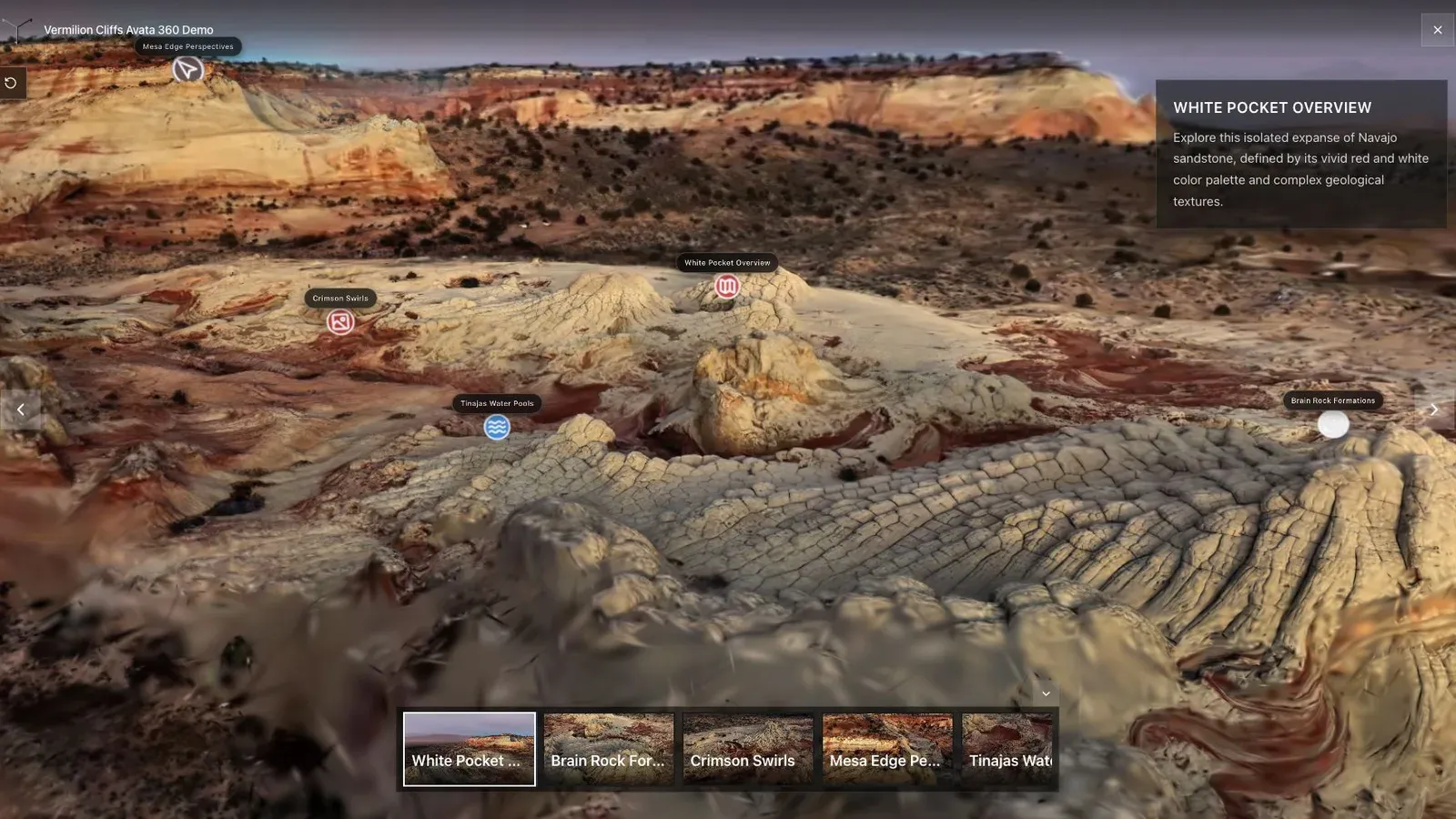
A landscape splat works best when the opening view explains scale, terrain, and the path through the scene.
A viewer, editor, optimizer, or file-format choice should be judged by the tour it helps produce. The first published angle should load cleanly, show the subject clearly, and make the next action obvious. For SuperSplat users, splat creators, and media teams, this is more useful than a feature checklist that never reaches a real visitor.
Open the public URL on a phone that was not used during production. Look for the exact defects the cleanup was meant to solve, then watch a new visitor move through the first two stops. If they still begin behind a wall, lose the subject, or wait through an oversized download, the technically cleaner file has not fixed the deliverable.
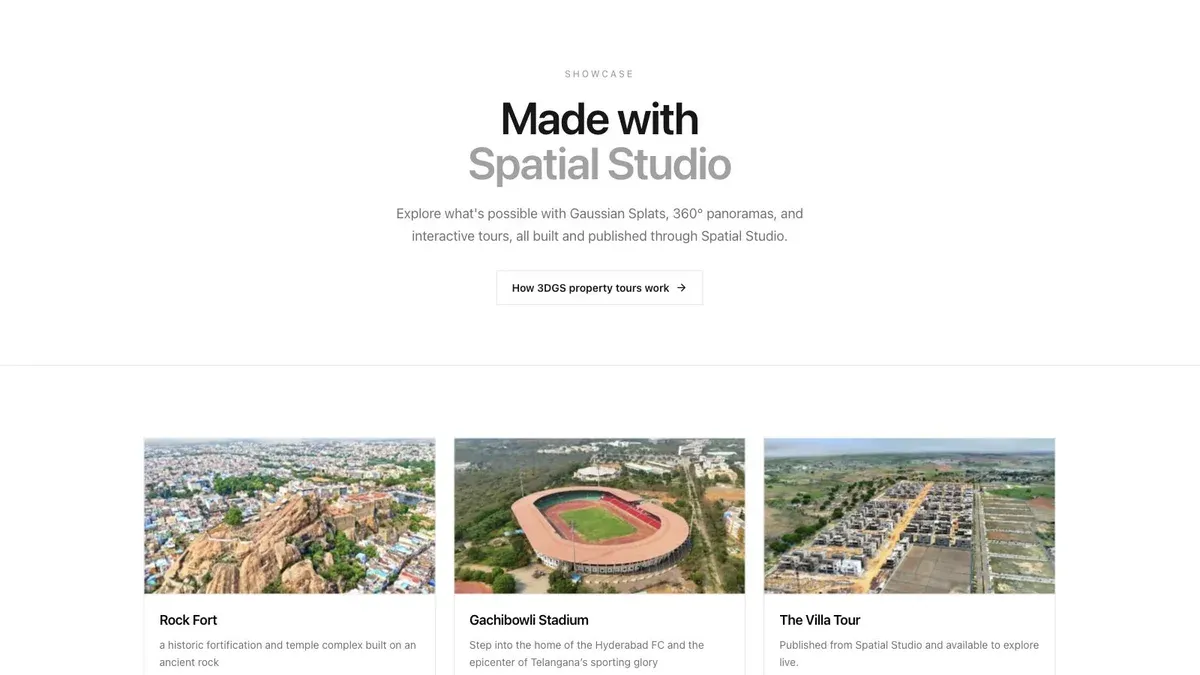
A showcase grid lets buyers or clients scan several finished tours before opening one.
Record what changed during cleanup and keep the original export. Compare the final hosted view with that original, including the opening camera, visible artifacts, and mobile load. An extra editor handoff is useful when it fixes a specific problem you can still see in the published tour.
For a wider tool decision, use Gaussian Splatting Software. If the file is already finished and the open question is how to deliver it, compare Splat Virtual Tour Software.
Related reading
- Gaussian Splat Editor Guide
- Spatial Studio Gaussian Splatting Software
- Gaussian Splat Viewer
- Gaussian Splatting Software
- Video to Gaussian Splat
- Splat Virtual Tour Software
- Splatica Alternative for 360 Video
- Splat Labs vs Spatial Studio
- Splatware vs Spatial Studio
- How to Make Money with Virtual Tours
- Virtual Tour Revenue Calculator
Frequently asked questions
Does Spatial Studio replace SuperSplat for detailed cleanup?
Not always. SuperSplat remains a strong specialist editor for precise browser-based inspection, selection, cleanup, merging, and optimization. Use it when those controls materially improve the scene.
Can I move a SuperSplat-edited file into Spatial Studio?
Yes when the exported format is supported. Validate orientation, scale, compression, and appearance before making the handoff part of a client workflow.
Which product can create the splat from photos or video?
Spatial Studio covers reconstruction from supported source media through local Mac or cloud workflows. SuperSplat generally begins after the splat exists.
Which product is better for a property-tour business?
Compare the required delivery path. Spatial Studio connects reconstruction with mixed-media tour authoring, publishing, CTAs, and reporting. SuperSplat can edit and publish an existing splat with cameras, annotations, collision, embeds, and self-hosted viewer exports. Test a representative property and the client's handoff requirements in the products you shortlist.
Next step
Test one real space through the full path: source media, generated splat, review, opening view, navigation, published link, mobile check, and the client's next action. For an existing splat, test both editing and delivery before adding another tool to the workflow.
Next step
Generate a splat tour
Use the guide with your own project, or inspect a published example before starting.
Continue reading
Related articles
Splat Tools
Splat Labs vs Spatial Studio: Hosting or Full Tour Production?
Compare Splat Labs and Spatial Studio for Gaussian splat hosting, generation, virtual tours, branding, measurements, CTAs, analytics, and agency workflows.
Read articleSplat Tools
Splat Tour vs Spatial Studio: Simple Phone Tours or a Broader Studio?
Compare Splat Tour and Spatial Studio for phone-video capture, Gaussian splat generation, guided tours, branding, analytics, and agency delivery.
Read article