Gaussian Splatting for Heritage Preservation and Museums
Plan Gaussian splatting for heritage preservation, museum access, and public interpretation without confusing a web tour with an archival master.
In this guide
A Gaussian splat can make a heritage place vivid and accessible online. Preservation still depends on source capture, provenance, rights, conservation practice, and durable archival records beyond the web viewer.
Short answer
Gaussian splatting for heritage preservation can produce a photorealistic, navigable view of a building, landscape, room, or object from overlapping images or video. It is useful for public access, interpretation, education, stakeholder communication, and some documentation workflows.
A responsible preservation record keeps original capture media, records how the scene was made, documents omissions and edits, and preserves a separate archival package. The compressed public tour is a delivery copy.
Research in npj Heritage Science shows why the field is interested in 3DGS: photorealistic reconstruction can support non-invasive digitization, but difficult lighting, worn textures, restricted viewpoints, and unstable camera or geometric estimates can propagate errors. The practical lesson is to record limitations rather than hiding them behind a convincing render.
Spatial Studio is something to consider when a team has permission to capture and wants to turn the resulting media or compatible splat into a guided browser experience. It supports generation, opening views, waypoints, hotspots, maps, supporting media, hosted links, embeds, and analytics. Institutional systems should still own accession data, conservation records, rights, citations, and archival masters.

Preservation, documentation, and public access are different jobs
These goals overlap, but they should not be collapsed into one file.
| Goal | What the project must preserve | What a web tour can contribute |
|---|---|---|
| Conservation documentation | Source media, date, method, scale, control, known gaps, responsible staff | Visual context and a navigable reference copy |
| Archival preservation | Durable originals, metadata, checksums, formats, rights, storage plan | A discoverable access derivative, not the only master |
| Research access | Provenance, citations, stable identifiers, permitted detail | Remote spatial orientation and linked source material |
| Public interpretation | Curatorial narrative, accessibility, language, cultural context | Guided stops, optional depth, and a memorable sense of place |
| Education and outreach | Learning goals, age and audience fit, reusable resources | Browser access before, during, or after a visit |
Write the goal and audience before capture. A public visitor route can be concise. A conservation record may need controlled access and much deeper metadata. A donor presentation may need context but should not become the institution's preservation strategy.
What to decide before capture
Bring collections, conservation, interpretation, archives, rights, security, and accessibility owners into the plan early.
Confirm:
- which rooms, objects, surfaces, views, and security details may be captured;
- whether visitors, staff, labels, personal data, or sacred and culturally sensitive material could appear;
- the required geometric confidence and whether survey control or another measured method is needed;
- lighting, access, equipment, conservation, and handling constraints;
- who owns the source media, reconstruction, annotations, and public derivative;
- what must remain private and when the public version should be reviewed again;
- where the archival package will live if the web platform changes.
Capture enough overlap and viewpoint variation for reconstruction, but do not compromise conservation or visitor safety to fill a visual gap. Record inaccessible areas as known omissions.
Build provenance into the asset
A future team should be able to answer what the scene represents. Keep a small, human-readable record with:
- site or object identifier and responsible institution;
- capture date, operator, equipment, route, and source-file locations;
- weather and lighting where they affect appearance;
- camera calibration, control, coordinate, and scale information when applicable;
- reconstruction software, version, settings, cleanup, and compression;
- removed people, reconstructed gaps, color changes, or other edits;
- known occlusions, unstable surfaces, and missing areas;
- rights, credits, license, access level, and review date.
If the project needs metric analysis, condition comparison, or conservation decisions, validate the geometry through the relevant professional workflow. A visual web export should not acquire authority merely because it looks complete.
Turn the model into interpretation
Start the public tour with place and significance. Then offer a short route through the most important visible evidence. Keep labels readable on a phone and let optional hotspots carry deeper material, transcripts, references, images, or links.
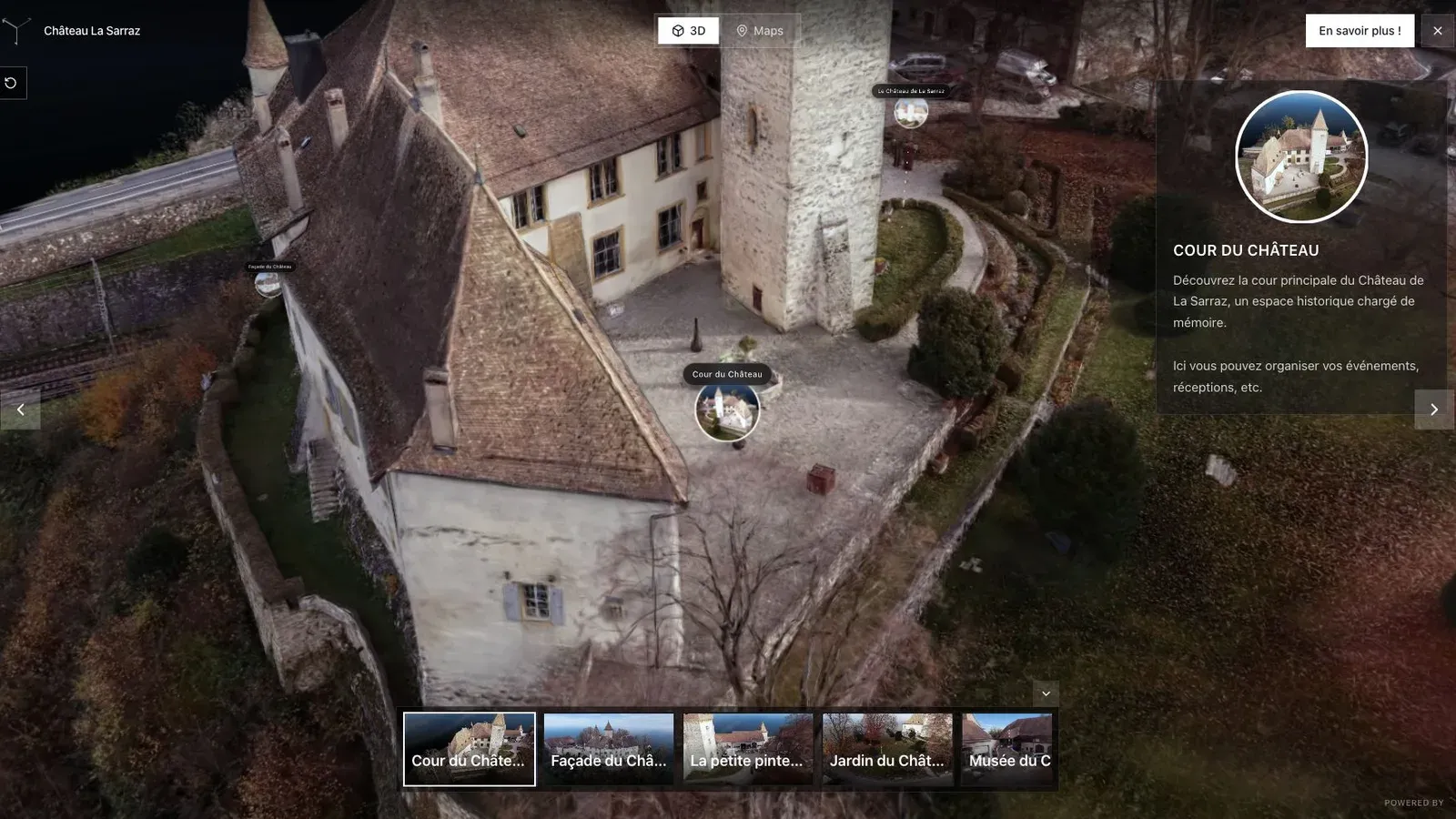
Open the public Château La Sarraz tour in Spatial Studio. Use it to judge opening orientation, free movement, and the amount of context a visitor needs; it is a public showcase, not a preservation benchmark.
The tour should not replace the collection catalogue. Link visible evidence to the institution's maintained sources. State when a reconstruction is partial, interpretive, or based on a particular moment in time.
Use a second example to test scale and route design
Heritage sites often combine architecture, landscape, circulation, and objects at very different scales. A route that works for a gallery object may fail on a fort or archaeological site.
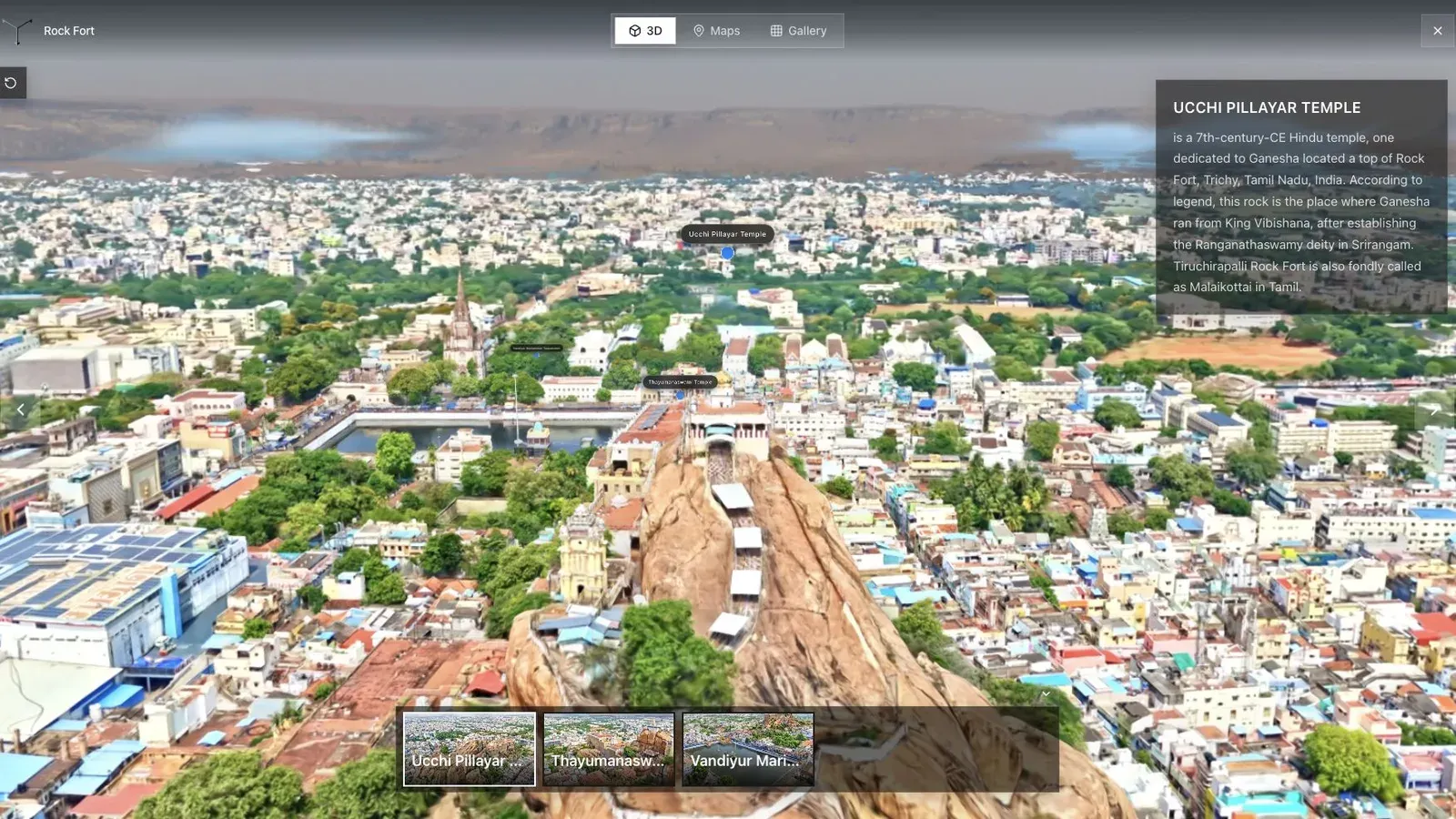
Open the public Rock Fort tour to inspect how a large outdoor subject reads in a browser. Check where a map, named stops, text alternatives, or an interpreted route would reduce confusion.
CyArk's Project Eternal at Pompeii is a useful external example of 3D Gaussian splatting used for both preservation storytelling and public exploration. Its value comes from the institutional project context around the model, not from the rendering technique alone.
Accessibility and respectful public access
A 3D viewer cannot be the only way to receive essential information. Provide a page title, short summary, text descriptions of key stops, keyboard-visible controls, captions or transcripts for media, and an alternate route to the core content.
Test with:
- a phone on ordinary mobile data;
- keyboard navigation and visible focus;
- reduced-motion preferences where the interface uses animation;
- zoomed text and narrow screens;
- a reader who has not visited the site;
- the languages and cultural framing required by the audience.
Respectful access also means being willing not to publish. Restricted, sacred, security-sensitive, fragile, or contested material may require a limited version, controlled access, community review, or no online reconstruction at all.
A practical publishing checklist
- Confirm capture, interpretation, privacy, and publication approval.
- Keep source media and the archival package outside the hosted tour.
- Record the capture date and known omissions on the public page.
- Set a first view that establishes place before detail.
- Use named stops and concise, sourced interpretation.
- Provide text alternatives for essential content.
- Test touch, keyboard, load behavior, and recovery from a lost viewpoint.
- Credit the institution, community, capture team, and source material correctly.
- Record the public URL, owner, review date, and takedown path.
- Recheck the tour after conservation work, site changes, or platform updates.
Common mistakes
- Treating a photorealistic reconstruction as neutral or complete.
- Publishing a compressed viewer asset as the only preserved copy.
- Capturing restricted objects, people, or security details.
- Adding unsourced interpretation without curator or community review.
- Omitting the capture date, credits, rights, or known gaps.
- Building an experience that works only with a mouse and fast desktop hardware.
- Describing public access as preservation without an archival plan.
Frequently asked questions
Is Gaussian splatting useful for heritage preservation?
Yes, as one layer in a broader documentation and access workflow. It can preserve photorealistic appearance and spatial context, support remote viewing, and make a site easier to interpret. Long-term preservation still requires original capture, metadata, durable storage, rights management, and validated geometry where the use case demands it.
Is a Gaussian splat an archival master?
Usually not. Keep source images or video, project metadata, control information, processing history, and higher-quality working outputs. Treat a compressed browser tour as an access derivative unless the institution has explicitly documented a different preservation plan.
Can museums embed a Gaussian splat tour on their website?
Yes. Place the embed on an owned, indexable page with the title, context, credits, date, accessibility alternatives, and links to maintained institutional information. Test the actual embed on mobile before release.
How much interpretation belongs inside the tour?
Enough to orient the visitor and explain the visible evidence. Use optional depth for detailed context, and keep authoritative catalogue or research information in the systems responsible for maintaining it.
Where does Spatial Studio fit?
Spatial Studio can take supported source media or compatible spatial assets through generation and guided web publishing. It is a practical option for public tours, education, interpretation, and stakeholder presentation. It does not replace a collection management system, digital preservation repository, conservation record, or measured survey workflow.
Next step
Choose one place or object, one audience, and one reason to publish. Define what must be preserved outside the viewer, then prototype a short route in Spatial Studio and test it with a curator, archivist, accessibility reviewer, and someone unfamiliar with the site.
For delivery decisions, read Gaussian Splat Hosting, Hotspots for Gaussian Splat Tours, and Outdoor Gaussian Splatting Capture.
Next step
Generate a heritage splat
Review capture permissions, provenance, access, interpretation, and delivery before choosing the public workflow.
Continue reading
Related articles
Commercial Use Cases
3D Property Damage Documentation for Insurance and Restoration
Plan 3D property damage documentation for insurance and restoration using photos, 360 capture, Gaussian splats, guided review, and clear evidence boundaries.
Read articleCommercial Use Cases
Gaussian Splatting for AEC: A Reality Capture Field Guide
Learn where Gaussian splatting fits in AEC reality capture, from recurring site documentation and remote review to BIM context and stakeholder tours.
Read article